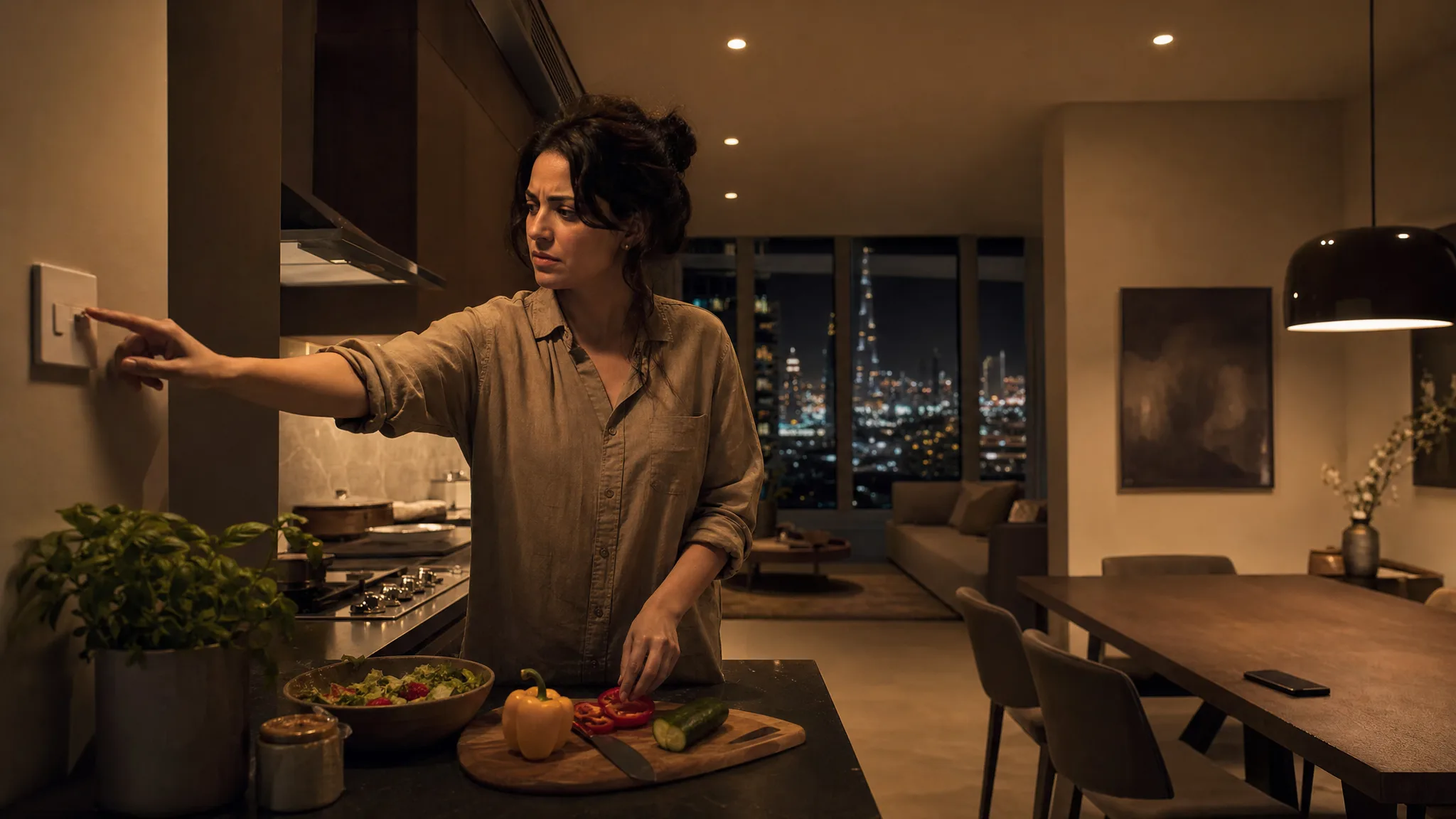
The kitchen lights used to have a switch. Now they have a scene. It runs at seven, it is warm and low, and it is genuinely lovely, and the person standing at the counter at seven trying to see what she is chopping cannot make it brighter, because the only brightness control in the flat lives inside an app on somebody else's phone.
She is not a guest. She lives there. She pays half the rent.
TL;DR: In most homes one person sets up the smart home and everyone else lives inside their choices. If the house only answers a phone, the other residents have quietly lost control of their own home. Give every room a control that needs no app, no account and no invitation: a switch that still switches, a keypad, a door code, or an Echo that answers anyone.
This is the failure that does not look like a failure, which is why it rarely makes it onto a quotation. Every device works. The automations fire on time. The problem is a permissions problem wearing a lighting problem's clothes, and it shows up in the second week, not the first.
The Admin and the Residents
Apple and Google are built the same way: one account owns the home, and other people get invited into it. Being invited is itself an app-and-account act, which is exactly the thing the person you are inviting was avoiding.
Apple sets out the two roles on its own support page for sharing a home. "Residents have local and optional remote access to all accessories in the home at any time. Guests have local-only access to specific doors, locks, and other security-related accessories on a set schedule" (Apple Support). The same page tells you how you add them, and the detail matters: you choose "people with an Apple Account from your contacts list."
Google draws the line in the same place, where someone who needs limited control of devices and settings is added as a Member (Google Nest Help). Different words, same shape: an account, an invitation, an app.
So "just add her to the app" runs to four steps: install an app, have or make an account, accept an invitation, and then learn a second interface for a light she used to control with one finger on her way past. Some people will happily do all four. Plenty of people will not, and they are not being difficult. A house that only works for the people who will do all four is a house that half the household cannot operate.
The account layer causes its own separate mess when the phone or the person changes, which we wrote about in everything in the house is in one person's account. This post is about the people who were never in the account in the first place.
What the Wall Switch Does After the Lights Go Smart
It depends entirely on which layer you made smart, and the two common approaches produce opposite outcomes for the person without the app.
Put the intelligence in the bulb and every press of the wall switch takes the bulb offline. Zooz, which makes the switches, states the mechanism plainly: "Your existing wall switch won't work well with a smart bulb because it cuts power to the fixture when it's off. That means the smart bulb's wireless receiver is off and you can no longer communicate with it to turn it on remotely" (Zooz Support). The bulb works fine. A switch nobody was told to stop using has cut its power. Bulbs still win on portability, which matters most in a rented flat, and we set that trade out in smart bulbs vs smart switches.
Put the intelligence behind the switch instead and the wall keeps doing what a wall does. Shelly's relays sit inside the back box and switch the ordinary bulb the way the old switch did, with app and automation control added on top. Its documentation calls that input mode Switch: "the position of the switch corresponds to the state of the device output" (Shelly Knowledge Base). Philips sells an equivalent for Hue households, and the two are worth telling apart. Its wired switch for ordinary bulbs does switch the load, the way Shelly does. Its smart light module does not: it leaves the bulbs permanently powered and only reads the wall switch to command them, so it needs a Hue Bridge and a smart bulb behind it (Philips Hue).
Now the part that catches households, and it is a setting rather than a fault. The same Shelly page documents a second option called Detached Switch, where "the input becomes detached (separated) from the output and doesn't have an effect on it. Essentially, you won't be able to control your light through the input." That mode exists for a good reason. Detaching the switch frees the press for the controller to use as a trigger, so one press can run a whole room instead of one circuit. It is also the single fastest way to take the wall away from somebody who never agreed to give it up.
Detach a switch if you want. Just do not detach the last physical control in a room and forget to tell the people who sleep there. The rule is boring and it holds: every room should keep at least one control that works when the person touching it knows nothing about the system. A retained switch, a battery keypad stuck where the old switch was, a scene button by the door. More on the renter-safe versions of these in smart light switches for Dubai renters.
Voice Works for the People Who Never Installed Anything
An Echo already in the room needs nothing from the person using it: nothing to install, no account, no invitation. You walk in, you say the thing, the light changes. Somebody did set that speaker up on an account once, the same as everything else in the house, and it was not her. How open it stays to everybody else depends on the platform, and Amazon spells its own answer out.
Amazon states the reach of this without any softening, in its own safety guidance: "When you connect devices and services to Alexa, anyone speaking to Alexa can operate those products. Some smart home devices can also be controlled by anyone using the Alexa app on your mobile device. This includes products such as lights and plugs" (Amazon).
Read that twice, because it is both the feature and the warning in one sentence. Anyone means the flatmate who never joined the app. It also means the AC technician standing in the hallway, and a child who has worked out that the speaker does what it is told. Amazon publishes it under safety information, not under features, and that is the right filing.
The practical reading for a Dubai flat: voice is excellent for the things you would not mind a stranger doing, and wrong for the things you would. Lights, fans, the kettle plug, a speaker, curtains. Our default is to leave those open to voice and to keep door unlocks off it, because a spoken trigger in an apartment also hears the hallway.
One caveat that cuts against everything above, and we hold to it. In a flatshare we skip whole-apartment voice assistants unless every person living there wants a shared speaker in the room. Open to anyone is the right answer for a family and the wrong answer for four adults who did not choose each other. There the wall control and the door code do the work instead.
One more thing worth doing, and almost nobody does it. Test the voice setup with the person who will actually use it, using the words they will actually say, before you decide it works. The assistant understands the phrasing it understands. A household in Dubai is rarely one accent and rarely one language, and a command that works for the person who configured it is not evidence of anything.
The Automation Nobody Else Can Cancel
The failure that causes actual arguments is a device working exactly as programmed, against a person with no way to stop it.
The lights dim at ten because somebody built a wind-down scene, and somebody else is forty pages into a book. The AC steps up two degrees at one in the morning because that suited the person who set the schedule, and the other person in the bed is awake at two. The living-room lights switch off after four minutes of no motion, and the person reading still in the armchair is apparently not a person.
In each case the house is right and the resident is stuck. Rewriting the schedule will not help, because the next person it inconveniences is a different person. What the room needs is an interrupt.
Every automation in a shared home needs a manual stop that somebody without the app can reach, and the stop has to hold. This is the part that gets built badly. A wall press that pauses the schedule for thirty seconds before the automation re-asserts itself leaves you losing the same argument every thirty seconds. Give it a real hold: this room stays how I just set it until morning, or for the next two hours, and then goes back to normal by itself so nobody has to remember to undo it.
Cooling deserves its own answer, because in a Dubai flat the AC gets argued over more than the lights. A smart AC controller speaks the same infrared language as your existing remote rather than replacing it, so the handset on the sofa arm still commands the AC for anyone standing in the room. Whether it stays a control worth using comes down to one thing: the controller has to listen as well as talk. A blaster-only unit never sees the old remote being used, so its idea of what the AC is set to drifts away from the truth, and the house quietly ends up asking everybody to use the app instead. We go through the difference in how a smart AC controller actually works, and it is a household decision more than a hardware one.
Presence sensing fixes the armchair one, because that failure is a motion sensor doing precisely what motion sensors do. It is not the answer everywhere. A hallway is better served by a cheap battery motion sensor and a sensible timeout, and a presence sensor needs mains power. We covered the split in how motion and presence sensors actually work.
The Door Cannot Be the App-Only Part
Everyone who sleeps in the home needs their own way in that does not route through another person's handset. That is the whole principle, and it is the one people break first because app-only access feels tidy.
A smart lock that opens from an app is convenient for the person holding the app. For everybody else it is a favour they have to ask for. Give each resident a code of their own rather than a shared one, so access can be removed later without changing life for everyone. Keep the mechanical key working. If a live-in helper or a regular cleaner comes to the flat, they need their own credential too, with its own hours, which we go through in smart homes with live-in help.
None of that needs anybody to install anything. A code on a keypad asks nothing of the person using it. Picking the hardware is a separate question, and we compared the options for apartments in the best smart locks for Dubai apartments.
The Test You Can Run Tonight
Put your phone in a drawer and live in your own home for one evening. Not to audit the system, which is a different exercise. To find out what your home is like for somebody who does not have the phone.
- Make dinner, and turn the kitchen light up to something you can actually chop under.
- Watch something, and get the room dark enough for it.
- Let somebody call, and turn the music down.
- Go to bed, and turn everything off without walking the flat.
- Get up at three for water, and see whether the house helps you or leaves you swiping at a cold screen with one eye open.
Whatever you had to fetch the phone for is a gap, and it is a gap the other people in your home have been living with since the day it was installed. They probably have not mentioned it, because the system was expensive and somebody was proud of it.
The question that changes a design most is who else lives here, and what will they touch. The answer moves the design more than the brand does, and it is the difference between a smart home that one person enjoys and a home that works for everybody in it. We would rather add a keypad than explain an app to someone who never asked for one.
Frequently Asked Questions
Can a smart home work without a smartphone app?
Yes, and a well-built one mostly does. The app is for setup, changes and remote access. Day to day the house should run on wall switches, keypads, door codes, sensors and voice. If daily life needs a phone, the design has pushed work onto people instead of taking it away.
Will my existing wall switch still work after smart lights are installed?
That depends on what was fitted, and the section above covers which is which. The more useful question is what to do when the bulbs are already in and the wall has already stopped working. You do not have to pull them out. Leave the fixed switch on permanently and put a battery scene button on the wall beside it, so the hand that reaches out of habit lands on something that answers.
Can guests or a cleaner control smart devices without an app in Dubai?
Yes, and the way you do it is a credential of their own rather than a loophole. A cleaner gets a door code on a schedule, not the family code and not a login. A guest gets the wall switch, which needs nothing installed. What you do not do is hand out the account, because an account opens the whole house and a code opens one door.
If I add manual controls everywhere, do the automations still work?
They work better, because a system built expecting to be overridden is a different system from one that assumes it never will be. The automation runs by default, a press takes that room out of it for a set period, and the room rejoins on its own. What breaks automations is a household quietly routing around them: bulbs taken out, lamps unplugged, a breaker flipped.
What if someone in the house refuses to use any of it?
Design for that rather than negotiating with it. Keep a full manual path for every daily function, put the automation on the things nobody has opinions about, and leave the personal layer opt-in. A smart home that degrades gracefully to an ordinary home is the only kind that survives a household.
Get a Home the Whole Household Can Use
We design around everybody who lives in the flat, including the ones who will never open an app. If you want a smart home that your partner, your kids and whoever comes to clean can all operate without a tutorial, get in touch. The first conversation is free, and who lives there is the first thing we want to know.
Ready to Get Started?
Get a free consultation and we'll recommend what makes sense for your situation.
Get Free Consultation