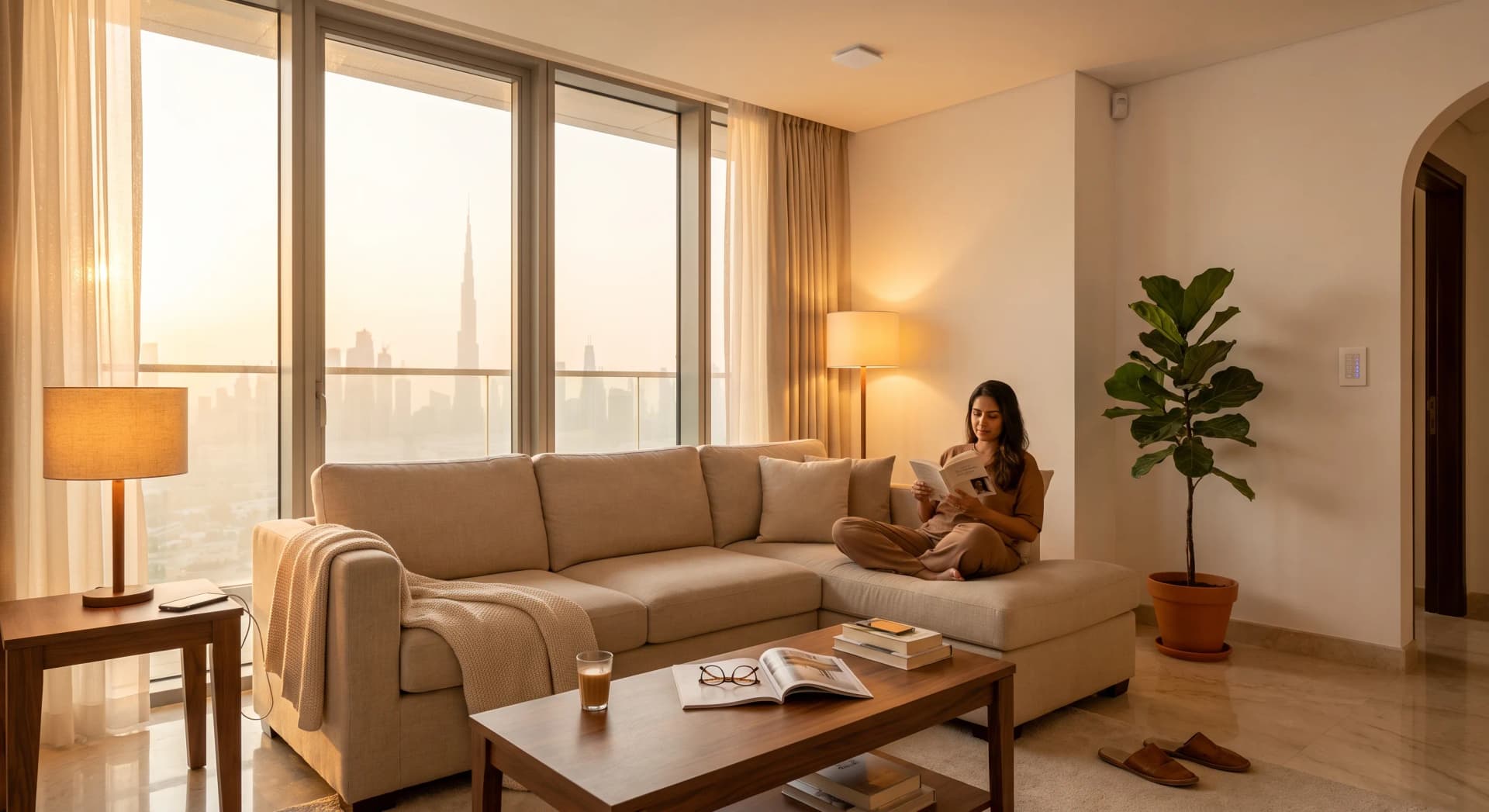
You are on the sofa watching a film. Twelve minutes in, the living-room lights switch themselves off and leave you in the dark. You wave an arm at the ceiling, the lights come back, and thirty seconds later you go back to being annoyed at the thing you paid to make life easier.
That is not a broken sensor. It is a sensor doing exactly what it was built to do. The one on your wall detects motion, and you stopped moving. The fix is understanding the two kinds of sensor a smart home runs on, because one of them watches for movement and the other watches for you. Get the right one in the right room and the lights stop dying on you, the hallway wakes up at 3am when you need it, and nothing turns on because the afternoon sun moved across the floor.
TL;DR: A motion (PIR) sensor detects a warm body moving across its view, so it goes blind the moment you sit still. A presence (mmWave radar) sensor reads tiny movements like breathing, so it knows you are there even when you are not moving. Use inexpensive battery PIR sensors for hallways, entrances, and cupboards where people pass through. Use a mains-powered presence sensor for the sofa and the desk, where people sit still.
The Two Kinds of Sensor, in One Sentence Each
A motion sensor is a passive heat detector. A presence sensor is a tiny radar. That single difference decides everything about where each one belongs in a Dubai apartment.
The motion sensor, almost always a PIR (passive infrared) unit, sits quietly and watches for the moving heat signature of a warm body crossing its field of view (Homey, 2026). It sends out nothing. It only reacts to a change. A person walking through the room is a change. A person sitting still is not, which is the whole reason your lights die during the quiet part of the film.
The presence sensor sends out a signal and listens for the echo. It uses millimetre-wave radar, emitting radio waves and reading the reflections that bounce back off everything in the room, down to the rise and fall of your chest as you breathe (Homey, 2026). Because it detects those micro-movements, it knows a still person from an empty room. That is what "presence" means, and it is the thing a plain motion sensor cannot do.
Why Your Motion Sensor Turns the Lights Off on You
A PIR sensor sees heat as it crosses a set of invisible zones, laid out by a segmented lens on its face. Movement between those zones is what registers. Sit down and stop moving, and your heat signature settles into one spot (Digi-Key). From the sensor's point of view, nothing is changing, so after its timeout runs out it reports the room as empty and the automation switches the lights off.
You can stretch that timeout. An Aqara Motion Sensor P1, one of the common ones we fit in Dubai apartments, lets you set anywhere from 1 to 200 seconds before it decides the room is empty (Aqara, 2026). Push it to a few minutes and the lights stop dying mid-film, but you have only moved the problem: now the lights sit on for minutes after you actually leave. A timeout is a compromise between annoying you and wasting power. In a room where people sit still for an hour, no timeout setting wins. That is the room where a motion sensor is the wrong tool, and where presence detection earns its place.
Presence Sensors See You Sitting Still
A millimetre-wave presence sensor does not care whether you are walking or frozen on the sofa. Its radar picks up the tiny motions a body never stops making, so the room stays "occupied" until you genuinely get up and leave.
The Aqara Presence Sensor FP2 is the one we reach for most in Dubai homes. It runs a 60GHz radar, covers around 40 square metres (about 430 square feet), and can carve that space into up to 30 zones tracking as many as five people at once (Aqara, 2026). Zones are the quiet superpower: you can tell it the sofa is one area and the walkway behind it is another, so the reading lamp only comes on when someone actually sits down, not when the housekeeper walks past. Mounted on the ceiling it also does fall detection, watching for the signature of a fall with better than 98% accuracy (Aqara, 2026), which is why it earns a spot in a home security setup for a room where someone lives alone.
The catch is power. A presence sensor is running its radar constantly, so it needs a USB cable, not a battery (Aqara, 2026). That is fine next to a sofa or on a desk where a socket is close. It is a nuisance in a cupboard. So you do not scatter presence sensors everywhere. You put them in the two or three rooms where people sit still, and you leave the rest to simple battery motion sensors.
The Dubai Problem: Heat and AC Set Sensors Off
Here is the part the generic guides written for cooler countries skip. A PIR sensor is a heat detector, and Dubai gives it two things to trip over that a London flat never does: fierce sun through big windows, and air conditioning running most of the year.
Direct sunlight, and the patch of it that slides across your floor through the afternoon, creates rapid temperature changes on the surfaces the sensor is watching. To a PIR unit, a warm patch of light moving across the tiles can look a lot like a warm body moving through the room (Roombanker, 2026). AC does its own version of this. When the unit kicks in and pushes air across a curtain or a blind, the moving air and the fabric it stirs can be enough infrared fluctuation to register as motion (Reconeyez, 2026). This is why a motion sensor aimed at a west-facing window, or mounted right under an AC vent, will switch the hallway lights on at random all afternoon.
The fixes are placement, not magic. Keep a PIR sensor away from vents, off the wall directly opposite a big window, and out of the path of the afternoon sun. Drop its sensitivity a notch in a bright room. And in the rooms where sun and airflow are unavoidable, use a presence sensor instead, because radar does not care about heat at all.
Where to Put Each One: The Placement Rules That Matter
A motion sensor placed well outperforms an expensive one placed badly. Two rules do most of the work in a Dubai apartment.
First, mount PIR sensors in a corner and aim them across the walking path, not straight down it. A PIR unit is more sensitive to movement that crosses its view side to side than to someone walking directly toward it, because of how its two internal elements are wired (Athenalarm, 2026). A sensor over the front door catching people as they cross the hallway will trigger far more reliably than one they walk straight at. A corner mount also gives the widest clean view of the room (Faradite, 2026). That is a different job from the small magnet-and-switch sensor that watches whether the door itself is open or closed, which fires the instant the door moves rather than waiting to catch someone walking through it.
Second, match the device to the room's job. Hallways, entrances, laundry rooms, walk-in cupboards, and stairwells are pass-through spaces where a battery PIR is perfect and a five-year battery on something like the Aqara P1 means you fit it and forget it (Aqara, 2026). The living room, the home office, and the reading corner are sit-still spaces, and those get presence sensors. We usually walk a client through their own apartment and sort every room into one of those two buckets before we buy a single device. It is the same sensor layer we build around Aqara, chosen room by room rather than bought as a job lot.
Occupancy or Vacancy: The Setting Nobody Explains
Before any of this reaches your lights, there is one choice in the automation that decides how the room behaves, and most people never know it exists. A sensor can run in occupancy mode or vacancy mode.
Occupancy mode is auto-on and auto-off. You walk in, the lights come on by themselves; the room empties, they go off. Vacancy mode is manual-on and auto-off. You flip the switch yourself when you want light, and the sensor's only job is to turn it off after you leave (OEO Energy Solutions, 2026). Vacancy mode almost never gives you a false-on, because nothing but your hand turns the light on in the first place (PacLights, 2026).
The practical rule we use: occupancy mode for the places your hands are full or dark, the entrance with shopping bags, the hallway at 3am, the child's room where a motion-triggered nightlight only fires when they get up. Vacancy mode for rooms where you would rather choose the light yourself, like a bedroom, so a sensor never snaps the main light on when you were happily reading by a dim bedside scene. Same hardware, one setting, completely different feel.
What We Will Talk You Out Of
Presence sensors are the exciting ones, so people want them everywhere. You do not need a 60GHz radar in a cupboard nobody sits in, and you do not need one in a hallway where a battery motion sensor and a sensible timeout do the job for a fraction of the price and no wiring. Put the money where people sit still and leave the pass-through spaces to PIR.
You also do not need a sensor in every room on day one. Start with the two that annoy you most, usually the hallway that stays dark and the living room where the lights keep dying. Get those right, live with them for a week, then add the next room. A full sensor layer is part of the Smart Home Starter from AED 3,000 installed, and it grows one room at a time. If a room is solved with an AED 120 motion sensor, we are not going to sell you an AED 400 radar to sit in it.
The same caution applies to anything sold to you as intelligent. Most of what carries an AI label on a Dubai lighting quote turns out to be a schedule, a sensor, or a scene you press yourself.
Frequently Asked Questions
Why do my motion sensor lights turn off when I am still in the room?
Because a standard motion sensor is a PIR unit that only detects a warm body moving across its view. Once you sit still, your heat signature stops moving, the sensor reads the room as empty, and the timeout switches the lights off. A millimetre-wave presence sensor fixes this by detecting tiny movements like breathing, so it knows you are still there.
Do I need WiFi for motion and presence sensors to work?
Battery PIR sensors usually run on Zigbee to a local hub, not your WiFi, and keep working during an internet drop. Presence sensors like the Aqara FP2 use 2.4GHz WiFi for setup but run their automations locally, so the lights still respond even if your internet goes down (Aqara, 2026).
Can a renter install these without landlord approval?
Yes. Battery motion sensors stick to a wall or corner with adhesive and come off in seconds, leaving no marks. A presence sensor needs a nearby USB socket but is equally removable. Nothing is wired into the wall, so there is nothing to ask a landlord about and everything moves with you to the next apartment.
Will the sun or my AC keep setting off a motion sensor in Dubai?
It can, because a PIR sensor reads heat, and moving sunlight or air pushed across a curtain by the AC can both look like motion. The fixes are placement and sensitivity: keep the sensor away from vents and out of the sun's path, lower its sensitivity in bright rooms, or use a presence sensor there, since radar ignores heat entirely.
How long do the batteries last in a motion sensor?
A good battery PIR sensor lasts years, not months. An Aqara Motion Sensor P1 is rated for up to five years with the LED indicator off and the timeout set to 30 seconds or more (Aqara, 2026). Presence sensors do not use batteries at all, since their radar needs constant power from a USB cable.
The Short Version
The reason your smart home feels a little dumb is almost never the price of the kit. It is a motion sensor doing a presence sensor's job, or a PIR unit aimed straight at the afternoon sun. Sort every room into pass-through or sit-still, put a basic motion sensor in the first kind and a presence sensor in the second, and the whole thing starts behaving like it reads the room instead of guessing at it.
If you want a hand mapping your own apartment room by room, tell us about your place and we will tell you exactly which sensor belongs where, and which rooms do not need one at all.
Ready to Get Started?
Get a free consultation and we'll recommend what makes sense for your situation.
Get Free Consultation