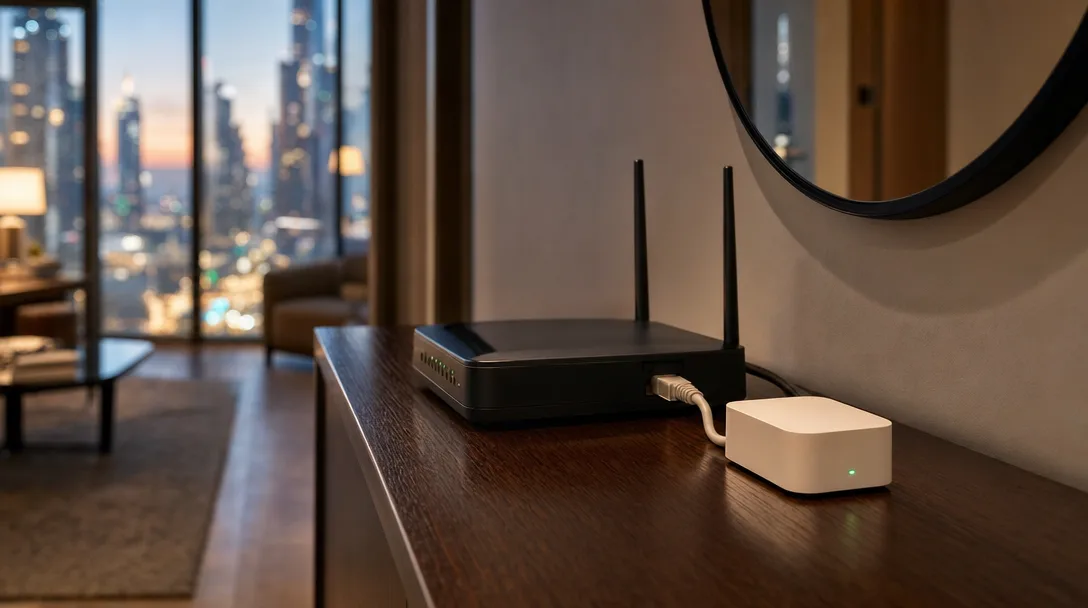
A client asked us to take the hub out of a quote. It was one line among many and it looked like the easy thing to cut. The job had dozens of smart bulbs in it.
We deleted the line and wrote a sentence into the scope note saying the hub was no longer included, because without it those bulbs would only pair to a phone over Bluetooth: no schedules, no reaching them from outside the apartment, and no running them from one app.
The hub is the least interesting box in a Dubai apartment and the one the rest of the system depends on.
TL;DR: A smart home hub is what turns separate devices into one system. Anything that says Zigbee or Thread on the box, which covers many sensors and battery switches, cannot reach your Wi-Fi at all without one. Cut the hub and you are left with whatever each device can do on its own in the room you are standing in. Wi-Fi devices keep running. Schedules, automations, shared control and voice all go.
What a Smart Home Hub Does
A smart home hub is a small always-on box that sits between your smart devices and your home network, translating between them so they can work as one system. One device on its own only ever does what you tell it. The hub is what lets the motion sensor in the hallway say something to the light in the hallway.
Aqara puts the dependency plainly for its own sensors and switches, which run on Zigbee or Thread: "These don't connect directly to Wi-Fi. You need a hub to get them online" (Aqara). Aqara sells hubs, so of course they say that. The standards bodies say the same thing, and they do not sell hubs.
You will see this box called a bridge, a border router or a coordinator depending on who made it. Same job, different label.
Why Your Bulbs Work in the Room and Nowhere Else
If your smart lights only respond when you are standing near them, you are running them over Bluetooth, and Bluetooth was never meant to leave the room. The lights usually went in one at a time, nobody chose Bluetooth, and it is where you end up without a hub.
Philips Hue is the clearest published example because Signify documents both paths. Without a bridge you can "Control up to 10 lights directly via the Philips Hue Bluetooth app", and you need "Your smartphone or tablet within 10 meters (33 feet) of the lights" (Philips Hue).
Add the bridge and the ceiling moves to "up to 50 lights and 12 accessories on one hub". Signify is blunt about what the Bluetooth-only version costs you: "no automations, no voice control through HomeKit, and no access when away from home" (Philips Hue).
Ten metres is roughly one room in a Dubai apartment. It is nowhere near a villa.
Zigbee and Thread Do Not Reach the Internet on Their Own
Zigbee and Thread are low-power radio networks that your devices use to talk to each other, and neither of them connects to the internet by itself. They are chosen because they are easy on batteries and because the devices relay for one another. The Connectivity Standards Alliance, which publishes Zigbee, describes it as "Optimized for low power consumption to extend battery life" (CSA). In practice that is a sensor you stick to a door frame and then stop thinking about.
The CSA says the same of Matter: devices that speak only Matter "require an internet-connected controller" sitting in the house before you can reach them from outside it (CSA). So something has to join that private radio network to your actual one. That something has a dull official name, a Thread border router, and it is the hub doing the translating. The Thread Group, which writes the standard, treats it as a required part rather than an optional extra: "At least one Thread Border Router is required to connect your network to the outside world" (Thread Group).
Zigbee works the same way with a coordinator, which is what a Hue Bridge is underneath the branding, and what sits inside an Aqara hub alongside the rest of it. Matter still needs one of these boxes. What it changed is how the boxes talk to each other, so the hub you buy is less likely to be a dead end later.
We have had to tell a client that their blind motors were Zigbee devices and could not reach Apple Home until a hub was in place.
What You Lose When the Hub Comes Out of the Quote
Four things go together, and they are the four things people wanted when they asked for a smart home:
- Control from outside the house
- Automations, so one device can trigger another
- Shared control, so it is not only on your phone
- Voice
Apple requires a home hub for the first three and says so plainly: set one up "to control your smart home accessories while you're away from home, share control of your accessories with others, and automate your accessories to do what you want, when you want" (Apple). Voice is the fourth, and Signify names it in the line already quoted above: without a bridge there is "no voice control through HomeKit".
Apple goes further for anything Matter-based. "You must set up a home hub to add Matter accessories to the Home app" (Apple). Apple is specific about which hardware counts, right down to the title of that page: "Set up your HomePod, HomePod mini, or Apple TV as a home hub" (Apple). A third-party Thread border router can carry the radio traffic, but on Apple it cannot be the hub.
For anything on Zigbee or Thread, those four features do not exist without it.
The Hub Is Also What Keeps Working When the Internet Drops
A good hub runs your automations locally, which means the house keeps behaving when the connection does not. Devices that depend on a manufacturer's cloud stop responding the moment your line goes down, and in a building where the internet wobbles, that difference is the whole experience.
This is the argument we make for running on an open platform rather than stitching four apps together. It also changes what a power cut costs you: the devices and the hub come back in their own order, and a system with a local brain recovers far more predictably after an outage than a cloud-dependent setup does.
Where a Smart Home Hub Belongs in a Dubai Apartment
Put it beside the router, give it ethernet if the port exists, and do not bury it in a cupboard behind the water heater. The hub is deliberately boring hardware, and when it does cause trouble here, the cause is often nothing to do with the hub itself.
When e& or du swap your router, the network name and password usually change, and everything holding the old details stops answering. The hub is the device people notice first because its failure takes the whole system with it rather than one bulb. We wrote the full recovery order for that in the router-swap guide, and the short version is that the hub goes back on the network before anything behind it will.
One practical note for apartments and villas alike. A run of concrete and the shaft a building runs its pipes through will flatten the signal, and coverage is not a matter of one strong box. Your always-powered devices, the lights and the plugs, "Act as signal repeaters to extend network coverage" (Thread Group), so a hub at one end of a long apartment with nothing mains-powered in between will leave the far bedroom dropping out.
When You Genuinely Do Not Need One
If every device you own runs on Wi-Fi directly, you do not need a translator, because there is nothing to translate. A smart AC controller, a Wi-Fi plug and a video doorbell all work on their own.
So will a few bulbs in one room, if you are honest that what you want is a dimmer you can reach from the sofa and nothing more. It changes at the point where you want devices to trigger each other, or you want the house to do something when nobody is home. One yes and a hub is back on the list. Two yeses make it the first thing in the quote rather than the last.
What You Are Actually Choosing Between
Hubs come in two shapes, and the choice between them is much harder to undo later than the hardware itself: one built around a single manufacturer's range, or one box that takes devices from anyone. The box joining the radios and the box running your automations are two jobs, and on some hardware they are the same unit while on others they are not.
A brand hub is the easy start. It is the smallest thing to add, and the devices pair with very little fuss, because the app was written for exactly those devices. The limit is that it is designed around that manufacturer's own catalogue, and how much it accepts from anyone else varies by brand. Buy a second brand next year and you often end up with a second hub and a second app, which is how a house ends up with four of each.
An open platform works the other way round. One system holds devices from different brands side by side, automations can cross between them, and most of it runs locally rather than through someone else's cloud. It takes longer to set up and it wants someone who knows what they are doing at the start. It also means one more box to keep updated, and no single manufacturer's helpdesk to call. That is why we build on Home Assistant.
Matter sits in the middle and is narrowing the gap, because a Matter device is meant to work with any Matter controller rather than only its own brand. It does not remove the need for the box, as Apple's own documentation shows, and not every device you already own speaks it.
If you are buying a handful of things from one brand and expect to stop there, a brand hub is the right answer and we will tell you so. If the list already has two brands on it, or you expect the house to grow, pick the platform before you pick the devices. Changing your mind later usually means re-pairing the devices one by one, which is an afternoon you do not get back. Matter devices are the exception, because one of them can be connected to more than one platform at the same time (CSA).
What to Check Before You Agree to Remove It
Read the device list and look at how each thing connects, not whose name is on the box. If a line says Zigbee, Thread or "requires hub", it needs one. Sensors, battery switches, blind motors and door locks are the ones to check, and they are also the ones people assume will work like a Wi-Fi plug. If you want the full sensor picture, we went through it in the Aqara sensor guide.
If you are comparing two quotes and one comes in lower, check whether the hub is in both before you decide anything. A quote without one can look like better value and deliver a different product. That is the same problem as every other missing line, and we have written separately about how to read a smart home quote properly.
Frequently Asked Questions
Do I need a smart home hub if everything runs on Wi-Fi?
No. Wi-Fi devices connect to your router directly, so there is nothing for a hub to translate. You may still want one to run everything from a single app and to keep automations working when your internet drops, but nothing stops functioning without it.
What is the difference between a hub and a bridge?
Less than the names suggest. Both join a private device network to your home network, and both hold the automations for the devices on it. A Hue Bridge does that for Zigbee lighting; a current Aqara hub does it for a wider range of devices. The practical difference is which devices each one accepts.
Do all smart devices work with one hub?
Rarely, if you buy brand hubs. Each manufacturer's hub is built around its own range and support for other brands varies. An open platform, or a hub that speaks Matter, is what lets a mixed house run from one place, which is the main reason to choose the platform before the devices.
What happens if my smart home hub goes offline?
You lose control and automation of everything behind it. Zigbee and Thread devices keep relaying for each other, because both networks are built to self-heal, but the Thread Group is clear that a border router is "Required for external connectivity and control". Wi-Fi devices are unaffected, and any switch still wired to its light keeps working.
Can I use my Alexa, Google speaker or Apple TV as a smart home hub?
Often yes, and many people already own one without realising. Apple names HomePod, HomePod mini and Apple TV as home hubs. For an Alexa or a Google speaker, check that model's spec sheet for Thread, because within one range some units include the radio and some do not.
Talk to Us Before You Cut the Line
If you are holding a quote and the hub looks like the easy saving, send it to us and we will tell you what comes out with it. If you are not there yet, tell us what you are thinking of buying and we will say whether a hub is in it.
No obligation, and we will say so if your setup genuinely does not need one. Get in touch and we will go through the device list with you.
Ready to Get Started?
Get a free consultation and we'll recommend what makes sense for your situation.
Get Free Consultation