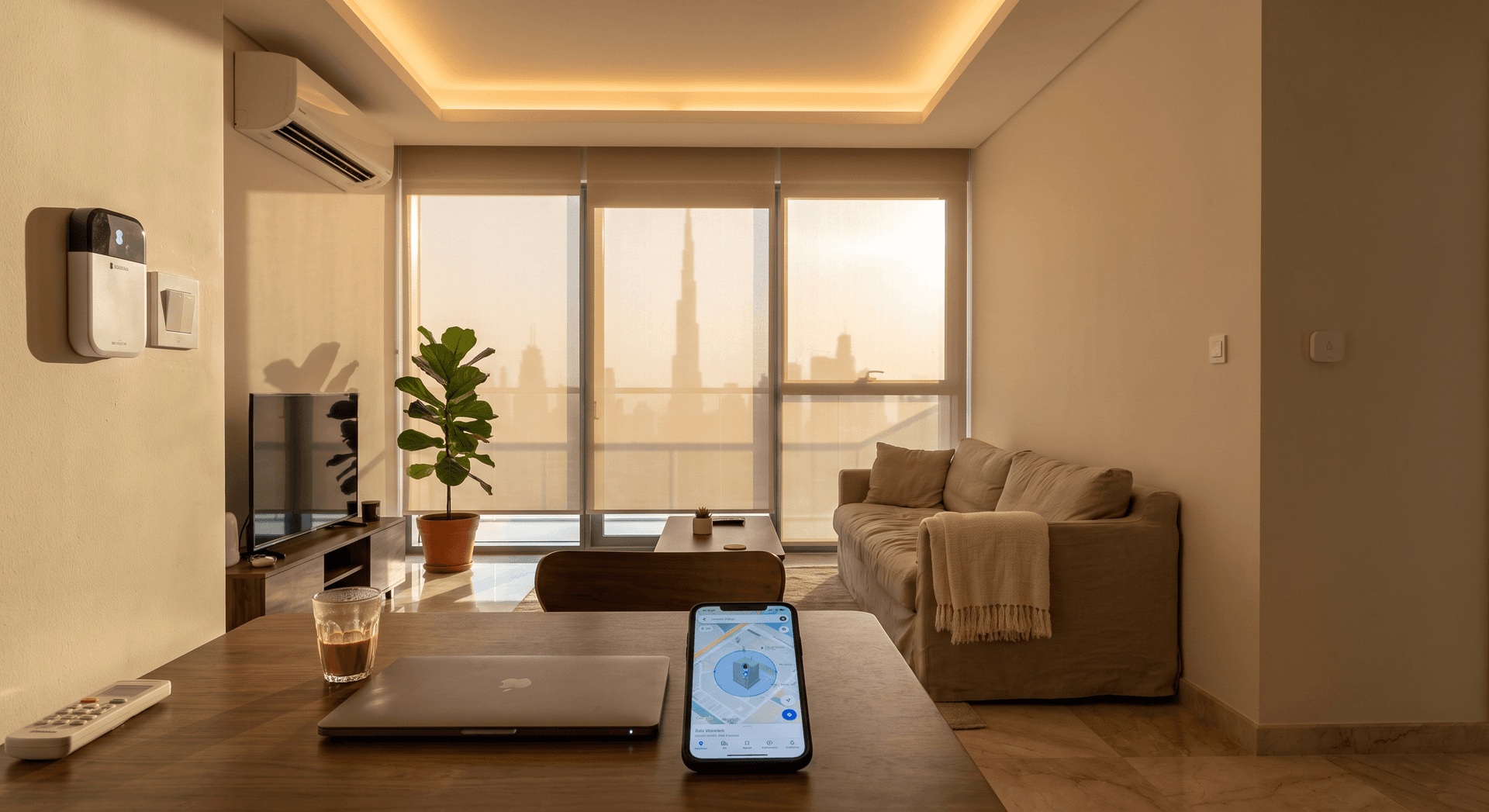
Your phone knows your route to work before you do. It sends you traffic warnings. It remembers where you parked. It knows you left the office at 18:47 and that you will be home in twenty-two minutes.
Your home knows none of this.
The same apartment that should be 22 degrees when you open the door is 34 degrees because nobody told it you were coming. The AC has been sitting idle all day, which is exactly what you wanted. Except now it needs forty minutes to pull the heat back out of the air, and you are standing in a warm flat waiting for it.
TL;DR: Location-based automation uses your phone's GPS to trigger your home when you leave or arrive, without you opening any app. For Dubai apartments in summer, the practical payoff is arriving to a cool flat without running the AC all day. The setup takes under ten minutes on a Sensibo Sky (AED 350-450). Home Assistant with the Companion App adds multi-person logic and motion-layer backup for more complex households. Expect 1-3% extra phone battery drain per day.
This is the gap that location-based automation closes. Your phone already knows where you are. This post is about making your home know too.
What Location Automation Actually Is
Location automation means your home changes state based on where your phone is, not on a timer you set at 7am or a schedule you have to remember to adjust.
The mechanism is a geofence: a virtual boundary drawn around your home. When your phone crosses that boundary going out, one set of automations fires. When it crosses back in, another set fires.
In a Dubai apartment in late June, crossing the outbound boundary at 8am means the AC turns off and the blinds close to prevent heat build-up through the day. Crossing the inbound boundary at 6:30pm - usually from somewhere near Al Khail Road or coming out of a mall - means the AC turns on to 22 degrees and the flat starts cooling twelve to fifteen minutes before you arrive.
You do not open an app. You do not forget. The flat handles it.
The Dubai-Specific Reason This Matters More Here
In most climates, a home that has been off for eight hours can be cooled down in ten minutes. In Dubai in late June, when outdoor temperatures have been at 34-37 degrees and direct sunlight has been driving radiant heat through your west-facing walls all afternoon, that is not how it works.
A west-facing Business Bay apartment with standard double-glazing accumulates significant heat load across the afternoon even with the AC off. The walls, the floor, the furniture - all of it absorbs heat and re-radiates it slowly. When you walk in at 6:30pm and turn the AC on, you are not only cooling air. You are pulling heat out of everything in the room. A split AC unit running at full capacity can take thirty to forty-five minutes to bring a 1,200 sqft apartment from 30 degrees to 22 degrees in those conditions.
Running the AC all day solves this, but it is expensive. DEWA summer bills for a 2-bedroom apartment already run AED 600-1,000 per month (DEWA, 2026), and AC accounts for 60-70% of that. Running the AC for nine hours while nobody is home is the fastest way to the top of the DEWA slab tariff.
Geofencing is the third option: cool the flat for the last fifteen minutes of your commute, not for the full day. Pre-cool before you arrive, not while you are sitting in it.
How to Set It Up
Option 1: Sensibo with Built-In Geofencing (Easiest)
The Sensibo Sky and Sensibo Air both include geofencing directly in the app. You do not need a hub or additional devices.
Setup takes about eight minutes. Install the Sensibo Sky on your AC unit's indoor head, connect it to your WiFi, and open the Sensibo app. Under Climate React, enable geofencing. The app draws a default boundary around your home address. When your phone leaves that boundary, the AC turns off. When your phone re-enters, the AC turns on at your preferred temperature.
In our experience installing Sensibo across Dubai apartments, the geofence works reliably at a 500-meter radius. Smaller than 300 meters in a dense high-rise area like Business Bay or Dubai Marina and you get false triggers from GPS drift - the phone thinks you have left when you are still in the building's basement car park. Larger than 800 meters and the pre-cooling starts while you are still fifteen minutes away, which adds unnecessary run time.
Battery impact on your phone is minimal. Sensibo uses iOS's significant-location-changes API and Android's geofencing API rather than continuous GPS polling - the extra drain is typically 1-2% per day (Sensibo, 2026).
The Sensibo Sky costs AED 350-450 installed in Dubai, and a single unit handles one AC. For a two-bedroom apartment with two AC units, two Sensibos cover both on the same geofence.
Option 2: Aqara Geofencing 2.0 via the Aqara App
If you already have Aqara devices in your home - motion sensors, door contacts, temperature sensors - the Aqara Home app includes Geofencing 2.0, which the company labels a Lab feature on recent firmware.
Aqara's implementation supports multi-user detection, which is the first real advantage over Sensibo's geofence. If two people live in the apartment, the Aqara system can be set to keep the AC running until the last person leaves, rather than turning off when the first person crosses the boundary. This avoids the scenario where one partner heads out for thirty minutes and the flat begins re-warming before the other person realizes the AC has gone off.
The automation is set up in the Aqara Home app under Automation, using the Location trigger. You define your home zone, select which family members' phones are tracked, and build the logic. Aqara's geofencing coordinates with the hub - an Aqara M2 or M3 running local processing - rather than relying entirely on cloud calls, which means the trigger fires even when Aqara's servers have a hiccup.
Option 3: Home Assistant Companion App (Most Flexible)
For households with Home Assistant already running, the Companion App for iOS and Android turns your phone into a presence sensor within the existing automation engine.
The Companion App sets up a home zone in Home Assistant and sends enter/exit events when your phone crosses the boundary. In Home Assistant, you can then build automations that respond to those events with whatever logic you want.
In practice, what most Dubai-based Home Assistant users run is a layered presence setup:
- The Companion App geofence handles the commute: AC pre-cool triggers when the phone crosses the 500-meter boundary inbound.
- A motion sensor in the living room confirms actual presence inside the flat. If the phone geofence says home but the motion sensor shows no movement for fifteen minutes, the system treats the flat as empty and eases the AC setpoint up.
- A door contact on the front door provides the cleanest arrival signal for the immediate lights and welcome scene.
This layered approach prevents the two most common geofencing problems: the phone geofence that fires when you are still in the building lobby and not yet in the flat, and the false departure that triggers when you step onto the balcony.
Home Assistant's geofence zone radius recommendation is 100-200 meters minimum for reliability in urban environments (Home Assistant, 2026). Too small and GPS drift in a canyon of towers causes false entry and exit events. In Business Bay and Marina, we have found 150 meters works consistently once you account for the building's footprint.
What Actually Fires When You Leave
This is the part most people underestimate. The return trigger gets all the attention because arriving to a cool flat feels good. The departure trigger is where the real savings are.
When you leave in the morning, a well-designed geofence automation does the following in the Dubai summer context:
The AC turns off or shifts to a standby mode (some households prefer to leave it at 27 degrees rather than full off, which keeps the humidity lower and reduces the heat load the compressor needs to fight when you return).
Motorized blinds, if you have them, close to their daytime position. A west-facing apartment loses significantly less heat across the day when the blinds are closed during the 2pm-5pm solar peak. In our experience, the difference between closed and open west-facing blinds on a June afternoon in a Business Bay apartment is 3-5 degrees of indoor temperature gain - heat the AC then has to remove.
The Sonos or speaker system turns off if it was playing. The TV switches off. Anything left on that should not be is handled.
None of this requires you to think about it at 8am. Your phone crosses the boundary on the way to your car and the flat handles itself.
Multi-Person Households: The Logic That Actually Works
The most common failure mode in geofencing setups is the single-phone problem. If one person's phone controls the departure/arrival state, and that person works from home on Tuesdays, the flat cools and warms based on one phone that never left.
The correct setup for a two-person household is an AND/OR logic on departure and arrival:
- Departure trigger: fires only when ALL tracked phones have left the boundary (so the flat does not go into away mode when one person is still home).
- Arrival trigger: fires when ANY tracked phone crosses the boundary inbound (so whoever gets home first arrives to a cool flat, not a warm one).
Aqara Geofencing 2.0 handles this natively in the app. Home Assistant handles it through a Group with all household members' presence sensors, combined with a logical condition in the automation. Sensibo's built-in geofencing only tracks one phone per account, which means two-person households on Sensibo need to either use one phone as the primary presence device or run separate automations on separate accounts and accept that both phones trigger independent cooling calls.
Dubai Summer Commute Timing: Setting the Pre-Cool Window
The practical question is: how far from home should the geofence trigger the pre-cool?
Dubai commute times vary widely. Professionals commuting from Dubai Marina to DIFC cover roughly 12km by car, which takes 20-35 minutes depending on traffic. From Business Bay to Dubai Silicon Oasis it can be 25-40 minutes. Driving from JLT to Downtown Dubai at 6pm on a weekday can run 30-45 minutes (Numbeo, 2026).
The 500-meter boundary that Sensibo uses by default puts the pre-cool trigger about 3-5 minutes from the building. For a two-bedroom apartment at 30 degrees, that is not enough runway to reach 22 by the time you park.
A more useful setup:
Run a geofence trigger at the point of leaving work rather than close to home. In Home Assistant or Aqara, you can set up a second zone at your office, and trigger the home pre-cool when your phone leaves that zone in the evening. This gives the flat 20-40 minutes of cooling before you arrive, which is enough time for most apartments.
For this to work reliably, the office zone needs a 200-meter+ radius (business districts have enough GPS interference from towers that smaller zones miss exits) and you need to account for days when you leave from somewhere other than the office. A simple backup rule: if the pre-cool has not been triggered by office-departure and your phone crosses the 500-meter home boundary, trigger it then as a fallback.
This is the kind of layered logic that Home Assistant handles natively. Sensibo and Aqara's app-based geofencing is simpler but single-zone.
What to Skip
Standalone WiFi presence as your only signal. Connecting to your home WiFi network when you arrive is a reliable indicator that you are home - but it fires after you are already inside. It gives you nothing for pre-cooling. Use it as a confirmation layer inside the flat, not as the trigger for pre-arrival automation.
Sub-100m geofence radius in high-rise buildings. GPS in tall residential towers in Business Bay, JBR, and Marina can drift by 50-80 meters inside the building. A 50-meter geofence will trigger false departures every time you walk to the car park level, and false arrivals when you are still in the lobby. Set a radius that covers the building footprint with margin.
Third-party cloud-relay apps that chain multiple services. IFTTT and similar relay services can work, but they add latency. A geofence-to-cloud-to-relay-to-AC trigger can take 60-90 seconds in a slow-response window. Direct integrations - Sensibo's own app, Aqara's hub-local processing, or Home Assistant running locally - are faster and more reliable.
Running the whole geofence system through one spouse's phone. It works until that phone has a flat battery, until your partner works from home, or until iOS location services decides to suspend the app's background refresh. Build in redundancy from the start.
Frequently Asked Questions
Does geofencing drain my phone battery significantly?
Modern location-based automation uses your phone's low-power location APIs, not continuous GPS. In practice, most users see an increase of 1-3% per day (Sensibo, 2026). This is similar to the drain from a weather widget refreshing in the background. It is not enough to be noticeable unless your battery is already under stress.
What happens if my phone battery dies before I get home?
The geofence entry trigger does not fire. Your flat stays in its current state - warm in summer if you were away, or the same temperature if you left the AC on a schedule. A dead phone is not a safety issue, only a convenience gap. Home Assistant users often add a backup rule: if the flat has been in "nobody home" state for more than six hours and it is past 5pm on a weekday, begin a gentle pre-cool automatically regardless of phone status.
Can I use this if I have a district-cooled apartment (Empower, Tabreed)?
Yes, with a thermostat controller. District-cooled apartments use a fan coil unit with a thermostat rather than a split AC with a remote. Smart thermostats like the Aqara Thermostat Hub W200 (AED 400-600 installed) connect to the fan coil and take thermostat commands from an app, Aqara's geofence, or Home Assistant. The same geofence logic applies. This covers most apartments in Business Bay, Downtown, and DIFC.
Does this work for renters?
Yes. Sensibo, Aqara sensors, and the Home Assistant Companion App are all completely non-permanent. The Sensibo Sky attaches to the AC's indoor head with a bracket and plugs into a power socket. Nothing is drilled, wired, or modified. You take it with you when you move. This is covered in the renter-friendly smart home guide - everything here works in a rental flat.
What if multiple family members have different arrival times?
Home Assistant and Aqara both support multi-person presence with AND/OR logic. The pre-cool triggers when the first person heads home. The away mode holds until the last person leaves. For most households this is a ten-minute configuration exercise once the Companion App or Aqara accounts are set up. Sensibo requires a workaround (see the multi-person section above) but it is doable.
Location automation is the easiest smart home upgrade that most Dubai residents have not set up yet.
Your phone already knows where you are. It has known for years. Making your home listen to that information costs AED 350-450 for a Sensibo Sky and about ten minutes. For a household in Business Bay, JBR, or Marina running the AC for nine hours a day to come home to a cool flat, it is the first thing worth fixing.
If you want to start there, get in touch and we will tell you exactly what your apartment needs. No commitment, no surprises.
For households that want the layered presence detection - geofence plus motion plus door contact - the full starter setup for a Dubai apartment explains how the pieces fit together.
Ready to Get Started?
Get a free consultation and we'll recommend what makes sense for your situation.
Get Free Consultation