Here is the homecoming most people do in a Dubai apartment in July. You leave the office at seven into forty-one degrees. The drive that took eighteen minutes this morning takes twenty-six tonight. You reach your floor, open the door, and walk into a wall of heat, because the apartment has been sitting shut and empty and soaking up sun all day and it is thirty-two degrees inside. You drop your bag, find the AC remote with the cracked screen, set it to eighteen out of spite, and then you wait. You shower in a warm bathroom. You eat while the living room is still catching up. By the time the room is finally comfortable, you are almost ready for bed.
You ran a team, a calendar, and three WhatsApp groups from your phone all day. The apartment should have started getting ready for you before you left the car park, not after you walked in sweating.
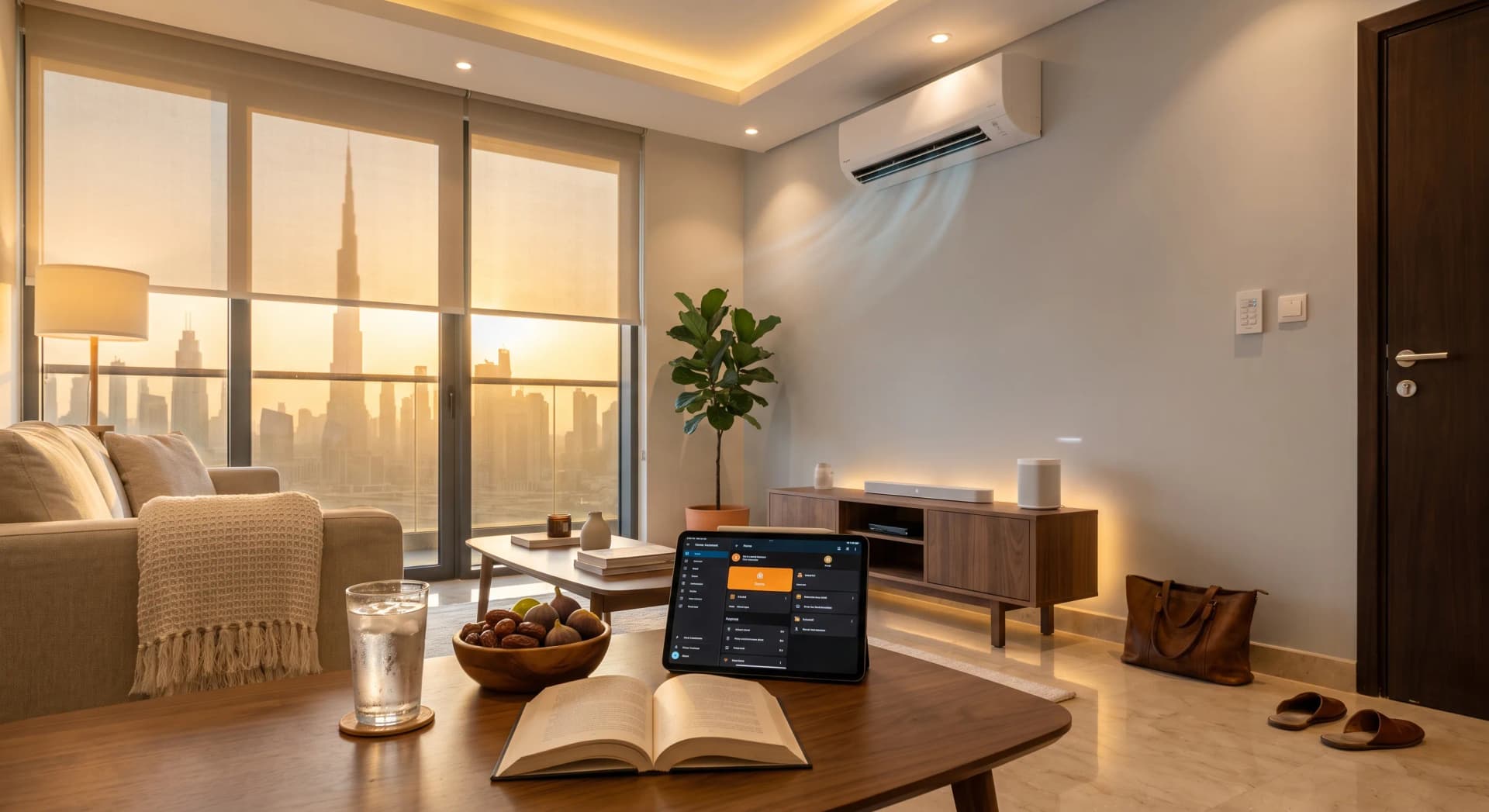
TL;DR: A Come-Home scene starts before you arrive and finishes as you walk in. In the ten minutes before you reach your floor, the AC pre-cools the living room, the west blind drops, and at the door the lights come up warm and the music starts. A renter version runs from AED 3,000, no wiring and no landlord approval. The order it fires in is what makes the apartment feel like it was expecting you.
The scene is not one big on switch you hit at the door. If everything waited until you arrived, you would still be standing in a hot room waiting for it to cool, which is the exact problem you were trying to solve. What a well-built Come-Home scene does is start the slow part early, so the room is ready at the door instead of an hour later. Here is what happens, in order, and why the order matters more than the hardware.
What a Come-Home Scene Is
A Come-Home scene is a saved sequence across your AC, lights, blinds, and a speaker that fires from one trigger tied to you arriving. The trigger is your phone crossing a boundary on a map on your way home, or a fixed weeknight time, or one press of a button. Once it starts, you do not touch anything. In our experience setting these up across Business Bay and Marina apartments, this is the scene clients describe as the one that changed how the apartment feels, because it turns the worst ten minutes of a summer evening into ten minutes you never notice.
The important word is early. A light switch is on or off the instant you touch it. A Come-Home scene starts working while you are still in the car, because the one thing you cannot rush is cooling a heat-soaked room. It hands you a finished apartment at the door rather than a to-do list.
The Trigger Is the Part People Get Wrong
The whole scene depends on knowing you are on your way, and there are four honest ways to do that. Each suits a different life.
The most reliable for a fixed routine is a schedule. If you leave work at the same time most weeknights, the scene can start at 6:40pm on weekdays and skip weekends. No phone, no location, nothing to fail. The downside is it does not know the night you work late or leave early.
The one that feels like magic is a geofence: your phone crossing a circle drawn around your building. When it works, the apartment starts getting ready the moment you pull out of the office car park. The catch is precision. Consumer geofencing is accurate to somewhere between twenty and fifty metres when Wi-Fi is nearby, and a radius set too tight fires late or not at all, so the sensible minimum is a circle of at least 100 to 150 metres (SmartHomeAutomate, 2026). For an arrive-home trigger you want the circle wide, around 200 metres or more, so the pre-cool has time to run before you reach the door.
The third way is presence detection: your phone or watch joining your home Wi-Fi as you get close. It is precise but late, good for the lights and music, useless for the pre-cool, because by the time you are on your own Wi-Fi you are already at the door.
The fourth is the simplest and the one we set up most often as a backup: one button. A keypad in the lift lobby, or a tile on your phone you tap when you leave the office. It asks nothing of GPS and never misfires.
One thing clients always ask is which one is best. The honest answer is that most good setups use two: a geofence or schedule to start the slow cooling early, and a Wi-Fi trigger or a button to bring up the lights and music at the actual door. The failure mode of geofencing is worth knowing before you rely on it. If your phone's battery optimisation kills the location service in the background, the automation never fires, and that is the single most common reason these setups disappoint (Radar, 2025). Setting the smart-home app to always have location access fixes it. We do that during the handover so you never trip over it.
The Ten Minutes Before You Arrive
Picture a weeknight in a two-bedroom in Business Bay. It is 6:40pm. Your phone has just crossed the line around the building, or the weeknight schedule has just ticked over. Here is what runs while you are still in the car.
First, the AC steps up. All day, with nobody home, the living-room split has been holding at a high, efficient standby temperature rather than running hard against an empty room. The scene now drops the setpoint to a comfortable arrival temperature and lets the unit start pulling the room down. This is the reason the whole scene has to start early. A right-sized split cools a room by roughly a degree every fifteen to thirty minutes in normal conditions, and a full house takes about eighteen minutes per degree to bring down (Learnmetrics, 2025). A living room that spent the day at thirty-two cannot reach twenty-three the instant you walk in. But it can if it started ten or fifteen minutes ago. That head start is the entire point.
Second, the blind drops. In a west-facing Dubai apartment the low evening sun is still pouring heat and glare across the living room at seven. The scene sends the motorized blind down to cut it, which both removes the glare on the sofa and takes some of the load off the AC that is trying to cool the room you are about to sit in.
That is all that runs before you arrive: the slow, invisible work. The AC and the blind do the part you cannot see and would not want to wait for. Everything else waits for the door.
The Moment You Walk In
You reach your floor at 7pm. Here is the second half of the sequence, triggered by you arriving at the door, either your phone joining the home Wi-Fi or a sensor at the entry.
The lights come up warm. Not the full cool-white ceiling glare, but a soft evening level around 2700K across the living room and kitchen, the temperature that reads as "the day is winding down" rather than "back to work". Warm, dim evening light supports the natural wind-down your body is already starting, where cooler and brighter light does the opposite (Sleep Foundation, 2025). The apartment greets you at the light level of an evening, because it is one.
The music turns on. A low level of whatever you were listening to, or a fixed evening playlist, on the living-room speaker. It is a small thing that does more than it should for how a room feels when you walk in.
The door confirms. If you have a smart lock, it can unlock as you reach it and lock itself again behind you, so you are not digging for keys with a bag in one hand and a phone in the other.
And the room is already cool. That is the part that lands. You walk in and the living room is at a temperature you would have had to wait forty minutes for, warm light is on, music is playing, and you did not touch a single switch. The apartment was expecting you.
Why the Order Is the Whole Point
The reason a Come-Home scene feels like the home was expecting you, rather than a switch you flip at the door, is entirely in the timing. Cooling is slow and lighting is instant. If you trigger both at the door, the lights are perfect and the room is still hot, and you are back to waiting. So the scene splits itself: the slow work starts early on a wide trigger, and the instant work fires late on a precise one.
Get that split right and the two halves meet exactly as you cross the threshold. The AC has had its head start and the room is comfortable. The lights and music, which need no head start, come up at the door. Nothing is early, nothing is late. In our experience the setups that disappoint are the ones that tried to do everything at the door, and the setups people love are the ones that quietly started cooling while the owner was still on Sheikh Zayed Road.
The Pre-Cool Is Comfort First, Savings Second
There is a version of this article that leads with your DEWA bill, and this is not it. Pre-cooling on a schedule does shift the cooling load and can trim the peak, but the honest fact is that pre-cooling an empty room earlier in the day can raise total energy use even as it lowers the peak, because you are cooling for longer (ACEEE, 2014). We build a Come-Home scene for comfort, not to save money.
Where the real savings live is the other side of the same setup: not cooling hard against an empty apartment all day. Air conditioning is sixty to seventy percent of a Dubai summer electricity bill (Utility Bill UAE, 2026), and holding an empty flat at a high standby temperature while you are out, then cooling it before you return, is what a smart schedule does well. The bill effect comes from the daytime holding, not the evening pre-cool. If your interest is specifically the money side, we wrote the AC pre-cooling schedule that cuts the DEWA bill and a piece on why your apartment takes 45 minutes to cool down after work. Those are the DEWA-first reads. This one is about walking into a room that is already ready. The lower bill is a side effect of the comfort, the same way it is with any smart AC setup.
What It Costs to Build in a Dubai Apartment
A Come-Home scene scales with how much of the apartment you want in it. Here is the honest range.
The renter starter runs from AED 3,000 installed. That is a smart AC controller so the split can be scheduled and pre-cooled, plus the app and scene setup, plus a smart plug or two for the lamp and speaker. No wiring, no landlord approval, and it all comes with you when you move. This alone delivers the part that matters most, the cool room at the door.
The fitted version, roughly AED 6,000 to 12,000, adds motorized blinds on the west-facing windows, proper smart lighting rather than plug-in lamps, and a keypad by the entry. This is the full sequence: AC, blinds, lights, and music all firing on one trigger.
The whole-home version sits inside a larger home automation project, AED 10,000 to 50,000 depending on scope, where the Come-Home scene is one of several that also cover mornings, hosting, and nights. If you already know you want the Good Night scene and the morning routine too, it is worth planning them together rather than one at a time.
What Bayora Will Talk You Out Of
The honest recommendation is the whole reason people send us their friends, so here is what we tell clients not to buy for this scene.
Skip the wall touchscreen. A AED 1,200 to 1,800 in-wall panel to trigger a scene you are going to trigger from a geofence or a button is money spent on a screen you will barely touch. A ten-dirham app tile and a keypad do the same job.
Skip cooling the whole apartment on arrival. You are walking into the living room, not the guest bedroom. Pre-cool the rooms you actually use in the evening and leave the rest on their standby schedule. Cooling rooms nobody enters is exactly the waste a smart setup is supposed to remove.
Skip the geofence-only setup with no backup. Geofencing is lovely when it works and invisible when your phone's battery saver quietly switches it off. We always pair it with a schedule or a button so the scene never simply fails to run.
Skip motorizing north-facing blinds for this. The point of the arrival blind is the west sun. A north window does not take that load, so a motor there is a nice-to-have, not part of this scene.
The Business Bay Two-Bedroom We Set Up in July
A tenant in a two-bedroom facing the water, west living room, came to us because the flat was thirty-three degrees when she got home and the first hour of every evening was spent waiting for it to cool while the sun blazed across the sofa.
We fitted a smart AC controller on the living-room split, one motorized roller blind on the west windows, eight smart bulbs across the living room and kitchen, a Lutron Caseta keypad by the door, and put her existing speaker on a smart plug. Total was AED 6,900 installed. The scene starts on a geofence with a weeknight schedule as backup, wide radius so the AC gets fifteen minutes before she arrives. At the door, her phone joining the Wi-Fi brings up the lights at a warm evening level and starts the music.
Her words after two weeks were that she had stopped noticing the transition, which is the highest compliment this scene gets. The room is cool when she walks in. She added a Come-Home scene for the bedroom a month later so the same thing happens there when she heads to bed. The evening wait she used to plan around is gone, and she could not tell you the last time she touched the AC remote.
Where to Start
If you do one thing, make it the AC. The cool room at the door is ninety percent of what a Come-Home scene delivers, and it is the one part you genuinely cannot fake with a switch at the entry. A smart AC controller and a schedule, from AED 3,000, gets you there. Add the blinds, the lights, and the music later, in that order, as the sequence earns its place in your evening.
The apartment does not need to be a technology project. It needs to know roughly when you are coming home and to start on the slow part early. Everything else is just choosing what greets you at the door.
Frequently Asked Questions
Does a Come-Home scene need to track my phone location?
No. Location is one of four trigger options and the one people worry about most. You can run the whole scene on a weeknight schedule, or start it with one tap when you leave the office, and never share location at all. Most reliable setups pair a schedule with a Wi-Fi trigger at the door, no GPS required.
Will pre-cooling before I arrive raise my DEWA bill?
The evening pre-cool itself adds a little runtime, so it is a comfort feature, not a savings one. The savings come from the other half of the setup: holding the empty apartment at a high standby temperature all day instead of cooling hard against rooms nobody is in. Net, a well-scheduled smart AC usually lowers the summer bill.
Does it work if my schedule is different every day?
Yes, that is what the geofence and Wi-Fi triggers are for. A fixed schedule suits regular hours, but if your evenings vary, your phone crossing a boundary around the building starts the scene whenever you head home. A one-tap button is the simplest backup for the nights nothing else fits.
Can renters set this up without touching the walls?
Yes. The core of the scene, the pre-cooled room at the door, needs only a smart AC controller that clips onto your existing split, plus smart plugs for a lamp and speaker. No wiring, no drilling, no landlord approval. It starts from AED 3,000 installed and moves with you when you change apartments.
What happens if my internet drops while I am on the way home?
The AC schedule and any locally-stored automations keep running on the home network even if the internet is down, so the room still cools. The parts that need the cloud, like a geofence trigger, would wait, which is exactly why we pair geofencing with a local schedule or button as a backup.
Ready to come home to a cool apartment instead of waiting for one? Tell us about your place and we will recommend where to start, no obligation and no surprises.
Ready to Get Started?
Get a free consultation and we'll recommend what makes sense for your situation.
Get Free Consultation