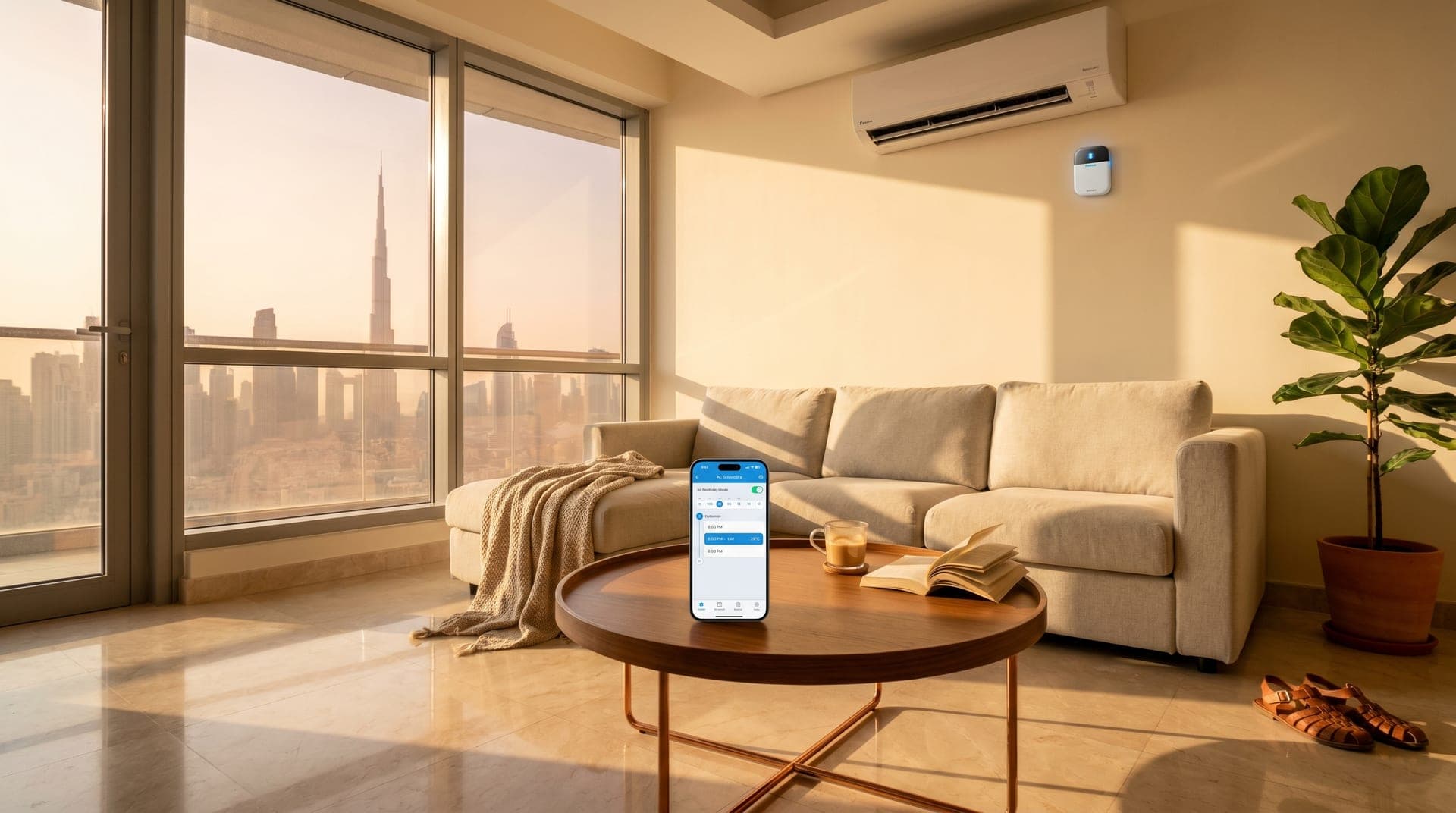
Your AC is about to start its summer shift.
In three weeks your air conditioner will be running 14-18 hours a day, every day, until September. That is not a guess. That is what a Dubai apartment needs to hold a comfortable temperature once May crosses 38 degrees (Climate-Data.org, 2026). You can accept that bill or you can give the AC a plan. A pre-cooling schedule is the plan. It takes 20 minutes to build, works with the split unit you already have, and cuts the monthly DEWA number by 20-30 percent without making you uncomfortable for a single minute.
This is the practical setup guide, not the thermodynamics lecture. If you want the physics of why a Dubai apartment takes 45 minutes to cool down, we covered that in Why Your Apartment Takes 45 Minutes to Cool Down After Work. This piece is about what the schedule looks like for your life, how to build it this afternoon, and how to tune it over the first two weeks so the savings show up on your May bill.
TL;DR: A pre-cooling schedule runs your AC during a short pre-arrival window at 24 degrees instead of leaving it off all day and blasting 18 at night. It takes 20 minutes to set up: install a smart AC controller, pick the schedule that matches your work pattern, and tune it over the first two weeks. Done right, it cuts summer DEWA bills by 20-30 percent (ENERGY STAR, 2025) and you never walk into a hot apartment again.
What Pre-Cooling Actually Means in Dubai
Pre-cooling means starting your AC a set number of minutes before you arrive so the apartment is already at your target temperature when you walk in. The schedule runs from your phone. The AC follows it without you touching a remote. You come home at 6pm and the living room is 24 degrees, the same way the grocery delivery shows up at the time you told it to.
In colder climates, pre-cooling is a time-of-use trick. People cool their homes when electricity is cheap and coast through expensive afternoon hours. Dubai does not work that way. DEWA uses slab tariffs, not time-of-use, so the hour of the day does not change the per-kWh rate (DEWA, 2025). Pre-cooling here saves money for a different reason: it replaces a long day of "blast the AC to 18 because I'm sweating" with a short controlled session at 24 that uses far less total electricity.
The research backs this out. Pre-cooling strategies in residential buildings have been shown to reduce cooling energy costs by 28-51 percent on hot summer days compared to reactive cooling (ScienceDirect, 2020). ENERGY STAR found smart thermostats cut cooling run time by at least 10 percent on average, with geofencing adding up to 23 percent more on top (ENERGY STAR, 2025). In Dubai, where cooling is 60-70 percent of your electricity consumption from May through September, those percentages translate into real AED.
The Hardware: What You Need Before You Schedule Anything
You cannot schedule your AC from a standard remote. You need a smart AC controller, which is a small wireless device that sits within line of sight of your split unit and sends the same infrared signals your remote does (Sensibo, 2025). Your AC does not know the difference. Any split AC with an IR remote works, regardless of brand or age. No drilling, no wiring, no landlord approval.
Setup time from unboxing to working schedule is under 20 minutes. Physical install is about 60 seconds: plug the controller into an outlet near your AC, make sure nothing blocks the signal path, mount it on the wall or leave it on a shelf. WiFi pairing takes two or three minutes. The app walks you through scanning a QR code, connecting to your network, and pointing your existing remote at the controller so it learns your AC's command set. The remaining time is building the schedule itself, which is where most people go wrong if they do not have a template.
In our experience installing these across apartments in Dubai Marina, Business Bay, and JBR, the controller is never the problem. The schedule is. A default "on when you arrive, off when you leave" routine leaves most of the savings on the table. The schedules below are what we actually build for clients.
The 20-Minute Setup, Step by Step
Step one: plug in the controller within 5 meters of your AC unit, line of sight (Pioneer Mini Split, 2025). Step two: open the app, create an account, scan the QR code on the back of the device to pair it to your WiFi. Step three: point your AC remote at the controller and press power, cool, temperature up, temperature down. The app learns each command and builds a virtual remote. Step four: set your target temperature range. Minimum 24 degrees, maximum 28 degrees. Do not go below 22 or above 28 in the schedule.
Step five: pick the schedule template that matches your work pattern from the next section. Copy it into the app. Step six: enable geofencing if the controller supports it, so the AC adjusts when your phone leaves or enters the apartment's WiFi range. Step seven: save and activate. That is the setup. What happens next is the tuning phase, which runs for about two weeks and makes the schedule work for your specific apartment.
What we have found is that the clients who get the biggest savings are the ones who resist the urge to drop the target temperature below 24 in the first week. The apartment feels fine at 24 once the walls are cool. Blasting 20 because the first day feels warm resets the efficiency gain.
Schedule Template 1: 9-to-5 Office Worker
This is the most common Dubai routine and the easiest to schedule. You leave around 7:30am, return around 6pm, sleep around 11pm. Five active windows, two off windows, one consistent bedroom temperature for sleep.
Sunday to Thursday:
- 6:00am: AC on at 24 degrees (wake up comfort)
- 7:30am: AC off or shifts to 28 degrees (you leave)
- 5:15pm: Pre-cool kicks in at 24 degrees (45 minutes before arrival)
- 6:00pm: You arrive, apartment at 24 degrees
- 10:30pm: Bedroom shifts to 25-26 degrees (sleep mode)
- 6:00am: Cycle restarts
Friday and Saturday:
- Hold 24-25 degrees while you are home
- 28 degrees or off if you leave for errands (geofencing handles this)
The key window is the 8am to 5:15pm gap. Nine hours of zero cooling on weekdays. Even with the 45-minute pre-cool added, your AC runs about 5 hours less per day than the "leave it on 24/7 at 22" approach most Dubai residents default to because they hate walking into a hot apartment. Over a month of summer that is roughly 150 fewer cooling hours on your DEWA bill.
Schedule Template 2: Hybrid Worker (2-3 Days Remote)
Hybrid work breaks the clean on-off pattern, but a smart schedule handles it if you give the controller your calendar. On office days it runs the 9-to-5 template. On remote days it holds a lower profile because you are home, but it still saves money by cycling smarter than "AC on full blast all day."
Office days (same as Template 1):
- 6:00am on at 24, 7:30am off, 5:15pm pre-cool, 6:00pm arrival at 24, 10:30pm sleep mode.
Remote days:
- 6:00am: AC on at 24 degrees
- 9:00am: Living room holds 24, bedrooms shift to 26 (you are working in one space)
- 1:00pm: Brief increase to 25 in the living room (heat peak absorbs less because the structure is already cool)
- 5:00pm: Back to 24 for evening
- 10:30pm: Sleep mode, 25-26 in bedroom
The trick on remote days is zone control. If you work from one room all day, there is no reason to cool four. A smart controller per room or a single multi-zone setup can hold 24 in your office and 27 in the empty bedrooms. We broke down the zone logic in Dubai Apartment Temperature Differences: Why Smart AC Zone Control Matters. Zone-aware scheduling on a hybrid schedule often saves more than a pure 9-to-5 because you are home more hours but cooling less total space.
Schedule Template 3: Fully Remote Worker
Fully remote looks like it should cost more because you are home all day with the AC running. It does cost more than a 9-to-5 setup, but a good schedule still beats the "set it and forget it at 20" default by 25-30 percent.
- 6:00am: AC on at 24 degrees (wake up)
- 8:30am: Living room or home office stays at 24, other rooms at 27
- 1:00pm: Brief 25-degree hold (the apartment runs efficiently at this temperature once the structure is already cool)
- 4:00pm: Back to 24 across active rooms, empty rooms stay at 27
- 10:30pm: Sleep mode, bedroom 25-26, other rooms 27
The move that matters here is the midday hold at 25. Running your AC at 24 non-stop from 8am to 10pm in a 40-degree Dubai afternoon forces the compressor into full load for hours. A 1-degree lift at the afternoon peak gives the system room to breathe and cuts consumption measurably. You do not feel the difference. The apartment stays comfortable. But the AC works less.
Schedule Template 4: Family with Kids and a Housekeeper
Families have the most moving parts. Different schedules, different rooms, different occupants during the day. The schedule has to handle school runs, housekeeper hours, and weekend hosting without you remembering to change anything.
- 6:00am: Kitchen and living room on at 24 (breakfast, school prep)
- 7:30am: School run, living areas shift to 27, bedrooms off
- 8:30am-12:00pm: Housekeeper hours, cleaning rooms stay at 25 for comfort while the person is working
- 12:00pm: Housekeeper leaves, everything shifts to 27
- 2:30pm: Pre-cool kicks in for kid pickup at 3pm, living areas back to 24
- 6:00pm: Full family mode, 24 across active rooms
- 9:00pm: Kids' bedroom shifts to 25 for sleep
- 10:30pm: Adult bedroom shifts to 25-26
- 6:00am: Cycle restarts
The housekeeper window matters more than most families realize. If the schedule runs the AC at 22 while someone is cleaning an empty apartment for four hours, that is an easy 15-20 percent of monthly waste. Holding 25 instead still keeps the person comfortable while cutting the load significantly.
Schedule Template 5: Shift Worker or Irregular Hours
If you work hospitality, medical, aviation, or any shift pattern, your schedule is not a daily routine, it is a weekly pattern with four or five different types of days. Smart controllers handle this through named routines you activate per shift.
Instead of time-based triggers, you build three routines: Day Shift (same as 9-to-5 template shifted by hours), Night Shift (inverted: pre-cool before bedtime in the morning, running mode during overnight work when you are out), and Off Day (holds 24-25 throughout). You switch routines from the app at the start of each shift, or set the controller to follow your work calendar if the app supports calendar integration.
The Dubai hospitality clients we work with most often ask for night-shift schedules because their apartments get ruined by the default afternoon cooling pattern. They sleep at 9am and the living room is blasting cold air. They come home at 6am to an empty flat that has been cooled for nothing. A proper night-shift routine flips the whole cycle and typically cuts their summer bill more than a day-shift setup does, because the daytime waste is huge.
How to Tune the Schedule Over the First Two Weeks
The schedule you build on day one is not the schedule that saves you the most money. Dubai apartments vary. West-facing windows, top-floor units, poor insulation, and district cooling all change the numbers. Give the schedule two weeks and adjust based on what happens.
Week one: leave the schedule untouched. Track two things on your phone notes. First, the time it takes to cool the apartment from the pre-cool start to your arrival. If it is consistently ready 30 minutes before you walk in, move the pre-cool start later by 15 minutes. If the room is still warm when you arrive, move it earlier by 15 minutes. Second, note any time you manually override the schedule (pressing a button on the remote or app). Each override is a clue that the schedule does not match your real life. Adjust the schedule, do not keep overriding.
Week two: check the DEWA app or your smart meter reading against the same week last year if you have the data. Look for the consumption dip. If you are not seeing a clear reduction, the most common culprits are (1) the apartment target is set below 24, (2) the schedule is running during windows when you are not actually home, or (3) the system is cooling empty rooms because zone control is not set up. Fix these in order.
One thing clients always ask is whether they should increase targets during the hottest weeks of July-August. The answer is no. Hold 24 degrees as the target across the whole summer. The schedule saves money by shortening cooling hours, not by lifting the target. Raising the target to 26 in July to save more usually backfires because you end up manually overriding it back to 22 at night when you cannot sleep.
What Pre-Cooling Will Not Fix
Pre-cooling solves the arrival ritual and cuts wasted cooling hours. It does not fix bad insulation, single-pane windows, or a compressor that is undersized for the apartment. If your apartment heats up to 35 degrees within 30 minutes of the AC turning off, pre-cooling still works but the window has to be longer. West-facing units in JBR and high floors in Downtown Dubai often need 60-minute pre-cools instead of 45 because the structure holds more heat.
The biggest multiplier on pre-cooling savings is motorized blinds scheduled to close before the sun hits your windows. Closing west-facing blinds at 1pm and south-facing blinds at 11am blocks the thermal gain before it enters the apartment. The pre-cool window then has less heat to remove, and the AC runs for fewer minutes to hit 24. We see the biggest bills drop when clients run smart AC and smart blinds on the same schedule. For the broader context on what summer DEWA bills look like in Dubai and how to cut them, see the Summer DEWA Bill Survival Guide and the May DEWA Bill Preview we published last week.
What 20 Minutes Today Saves You by June
Pick a weekend afternoon. Install the controller, pair it with your AC, and drop in one of the schedule templates above. Let it run for 14 days. Tune it based on what you notice. Your May DEWA bill will arrive late May or early June, and it will land 20-30 percent lower than it would have if you had left the AC on the default "blast 18 when I walk in" cycle. For a 2-bedroom apartment that typically means AED 200-400 back every month, and it compounds across five summer months.
The schedules above cover roughly 90 percent of Dubai routines. If your life does not fit cleanly into one of them, start with the closest template and adjust during the tuning phase. That is how schedules work. They are not set-and-forget in week one. They become set-and-forget in week three.
Frequently Asked Questions
How long does it take to set up a smart AC controller in Dubai?
The physical setup takes about 20 minutes from unboxing to working schedule. Plug the device in, pair it with your WiFi, teach it your AC's remote commands, and drop in a schedule template. A typical installation session with a Bayora technician takes 30-45 minutes because we include the full schedule build, geofencing setup, and a walkthrough for everyone in the household.
Do I need to buy a new AC to use pre-cooling in Dubai?
No. Smart AC controllers work with any split AC that has an infrared remote, regardless of brand or age. The controller sits on the wall or a shelf within line of sight of your AC and sends the same IR signals your remote does. You keep your existing AC and add scheduling on top for AED 3,000 or less including installation.
Will pre-cooling at 24 degrees actually save money in 45-degree Dubai summers?
Yes. Pre-cooling at 24 for a 45-minute window uses less total electricity than blasting 18 for an hour when you arrive. DEWA recommends 24 degrees as the comfort-and-savings sweet spot, with each degree below 24 increasing consumption by 5-8 percent (DEWA, 2025). Summer savings from smart scheduling in Dubai apartments we have installed typically run 20-30 percent monthly.
What is the best pre-cool time for a Dubai apartment?
45 minutes before arrival for most apartments. Extend to 60 minutes if your apartment faces west or south, is on a high floor, or has single-pane windows. Shorten to 30 minutes if your apartment is well-shaded, on a low floor, or has thick curtains closed during the day. The smart controller learns over time and adjusts automatically on most models.
Can I change the AC schedule from my phone if my plans change?
Yes. Every smart AC controller has a phone app that lets you override the schedule on the fly, trigger cooling manually from anywhere, or set location-based triggers that start the AC when your phone detects you are heading home. If you leave the office at 8pm instead of 5:30, the pre-cool waits until you tell it to start or your geofence trips.
Build Your Schedule in 20 Minutes
The longer you wait, the more days you spend paying summer rates for last year's AC habits. A pre-cooling schedule is not a tech project. It is a one-afternoon setup that pays back in two weeks and keeps paying through September.
Get a free consultation and we will install the controller, build the schedule for your exact routine, and tune it through the first two weeks so the savings land on your May bill. No wiring, no landlord approval, and you take it with you when you move.
Ready to Get Started?
Get a free consultation and we'll recommend what makes sense for your situation.
Get Free Consultation