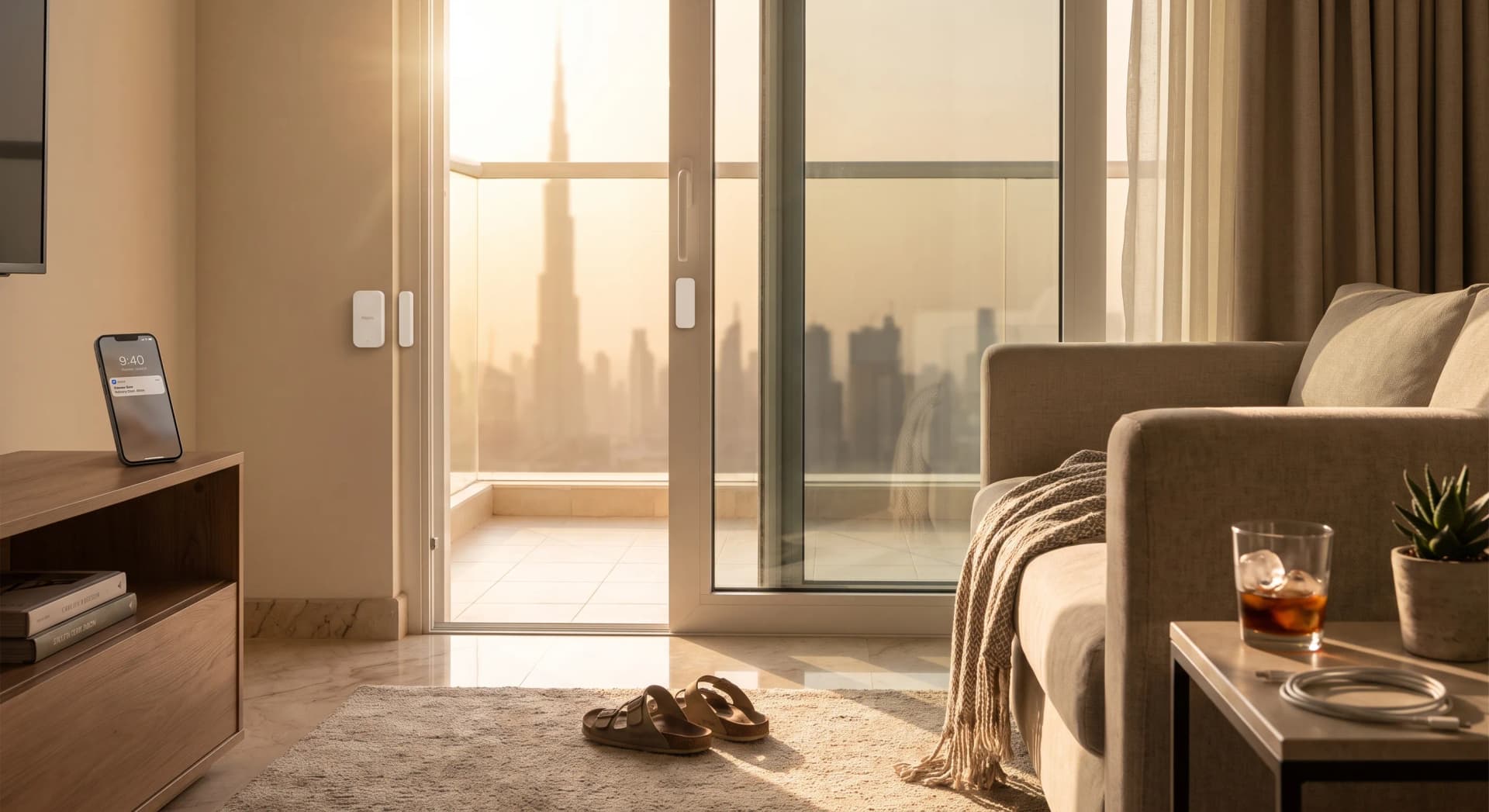
You leave the balcony door open six inches for the breeze, forget about it, and the AC runs for two hours trying to cool a room that is only getting hotter. Nothing tells the system the door is open. It works harder instead.
A door or window sensor is the device built to close that exact gap, and it does it with a mechanism so simple it has barely changed in seventy years: a magnet, and a switch that notices when the magnet leaves.
TL;DR: A door or window sensor is two small parts, a magnet on the moving door or window and a reed switch on the fixed frame, that complete an electrical circuit only when they sit close together. Separate them and the circuit breaks, which is what tells your smart home "this just opened." The device costs from around AED 60, needs no wiring, and its most useful job in a Dubai apartment is pausing the AC the moment a door is left open, not sounding an alarm.
What sits inside the sensor
Open one up and there is almost nothing to find. One half is a small block containing a permanent magnet. The other half, usually slightly larger, contains a reed switch: two thin metal contacts sealed inside a tiny glass tube, sitting normally apart with no connection between them.
Bring the magnet within a few millimetres and its field pulls the two metal reeds together, closing the circuit (Reed Switch Developments Corp, 2026). Pull the magnet away, the reeds spring back apart, and the circuit breaks. That break is the entire signal. The sensor does not know what a door is. It only knows whether two pieces of metal are touching or not, and it reports that one bit of information every time it changes.
One goes on the frame. The other goes on the door or window sash itself, lined up so the two sit flush when the door is closed. No screws into the wall structure, no wiring back to a panel. Most models stick on with the same adhesive pad that holds a bathroom hook to tile.
Why the gap between them matters more than the brand
A reed switch is not a fussy component. Most are rated to handle temperatures up to 125°C, with the underlying reed contact stable across a far wider range than any consumer device will ever see (Pickering Electronics, 2026). The switch itself is not what goes wrong. What goes wrong is distance: installers are told to keep the gap between the magnet and the sensor at 2mm or less, because the magnetic field weakens fast with distance and a wider gap means a weaker, less reliable trigger (Athenalarm, 2026).
The faulty sensor that is actually a settled door
In our experience walking through Dubai apartments during a survey, the most common complaint about a "faulty" sensor is not a faulty sensor at all. It is a door that has settled slightly on its hinges over a year or two, widening the gap until the two halves stop reading reliably. A frame shifting even a small amount is the single most common cause of a sensor missing an open door or reporting one as closed (SecurityWOW, 2026). The fix is a five-minute realignment, not a replacement.
The Dubai mounting problem nobody writes about
Almost every apartment and villa door or window in Dubai sits in an aluminum frame, and a dark-colored aluminum frame under direct sun runs hotter than the air around it, sometimes 20 to 40 degrees hotter, because dark surfaces absorb far more solar radiation than light ones (BarrierBoss, 2026). Search "best door window sensor" and every result reads the same way: a US or UK buying guide comparing brightness sensors, tilt detection, and app design, and none of them mention where you are putting the thing.
Why that heat matters for the sensor itself
Put a sensor into the recess of a dark frame on a west or south-facing Dubai window in July, and the plastic housing sitting in that recess can run close to or past the operating ceiling the manufacturer publishes. Aqara's own spec sheet for its current sensor lists an operating range of -10°C to 50°C (Aqara, 2026). On a 45°C August afternoon with direct sun on a dark frame, that ceiling is not a theoretical number. One thing we tell every client during a summer survey: check which way the window faces before deciding where the sensor sits, and prefer a lighter-colored frame recess or a shaded mount when there is a choice.
Two sensors, two different jobs
A motion sensor watches a space. A door sensor watches one point. That difference is the most common sensor-layer mix-up we see, and it decides which device belongs where.
A motion or presence sensor watches a volume of space and reports whether something is moving or sitting still inside it, which is the right tool for a hallway or a living room. A door sensor watches one specific, binary event, open or closed, and fires the instant the door moves. There is no delay for it to "notice" activity, because there is nothing to notice. The circuit either connects or it does not.
That makes a door sensor the better trigger for anything that needs to react the moment a door opens, not a few seconds after. A hallway light that should switch on the instant the front door swings open wants a door sensor at the frame, not a motion sensor waiting to catch you walking past it.
The device choice that actually matters
Most buying guides push brand loyalty. The real question is simpler: does this sensor need a hub, and does the household already have one.
If a hub already exists
If sensors or plugs in the home are already talking to an Aqara hub, add the standard Aqara sensor and it joins the same system immediately (lesterchan.net, 2026), no extra setup. A newer Aqara sensor exists that runs on a different wireless technology and needs a different, newer hub to match, so it earns its place in a fresh build going all-in on that newer standard from day one, not as an upgrade to a system that already works. Either way, both plug into the same open-platform thinking behind everything we install: nothing here locks a household into one company's app forever.
If there is no hub yet
Shelly's Door/Window 2 connects straight to the home WiFi, so no hub is needed at all (Shelly, 2026), and it runs for up to two years on its batteries with a built-in light sensor most contact sensors skip. A Bluetooth version exists that stretches battery life further, to roughly five years, but needs one small bridge device on the network to reach the internet, so the extra battery life comes with one more box in the setup. For one or two doors, the hub-free WiFi option is usually the simplest place to start.
The one automation worth building first
Skip the alarm framing entirely and start here: pause the AC the moment a door or window opens.
The pattern is straightforward, an air conditioner shuts off automatically once a door or window has been open past a short delay, commonly three to five minutes, and resumes the moment it closes (SmartThings Community, 2026). The short delay matters. Nobody wants the AC cutting out the second someone steps onto the balcony for thirty seconds, so the automation waits before it acts, then reverses the moment the door shuts.
Why the AC fights a battle it cannot win
Running an AC with a window left cracked open can push cooling costs up by 20 to 40 percent during peak summer conditions (APAC Air, 2026), because the system keeps replacing air it just cooled with hot air coming straight in. The bill effect is real, but it is the side story. What changes is that the compressor stops fighting a battle it cannot win, and the room recovers its temperature the second the door shuts instead of an hour later.
A second worthwhile automation, simpler to set up than either of the above: a light that switches on the instant a wardrobe, pantry, or storeroom door opens, and off the instant it closes. No app, no thinking, and it never leaves a closet light burning for a week because someone forgot.
What Bayora will talk you out of
Sensors on every window in the apartment. A two-bedroom does not need eight of these to get the useful part. Start with the balcony or terrace door, since that is the one most often left cracked with the AC running, then add bedroom windows if there is a specific habit worth catching.
A dedicated hub bought only for door sensors. If a WiFi model like the Shelly Door/Window 2 already covers the one or two doors that matter, a hub is an unnecessary box. Add one later if the sensor layer grows to include motion sensors, leak detectors, or locks that genuinely benefit from a shared local network.
Treating this as home security. A magnet and a switch will tell a household its own door is open. It is not a burglar alarm, and selling it as one oversells what a device starting from around AED 60 does. If real security monitoring is the goal, a proper camera and lock setup does that job. This device does a quieter, more useful one.
What it costs to add this layer
Individual door and window sensors are among the most accessible entry points into any sensor layer we install, retailing from around AED 60 in the UAE depending on brand and model. A single balcony-door sensor plus the AC-pause automation, on top of an existing smart AC controller, typically adds AED 150 to 250 installed once labor and a hub connection (if not already present) are included. Add two or three more doors and windows and the whole layer still lands under AED 800 for most apartments.
Frequently Asked Questions
Do I need WiFi for a door sensor to work?
It depends on the model. A WiFi sensor like the Shelly Door/Window 2 talks directly to your router. An Aqara sensor needs a hub instead, and that hub is what connects to WiFi, not the sensor itself. Either way, the sensor keeps detecting open and closed locally even during a brief internet outage. Only the phone notification depends on the connection being up.
Can I install a door sensor myself?
Yes. Both halves stick on with adhesive pads, no drilling and no wiring. The only real skill involved is lining the two halves up so they sit within a couple of millimetres of each other when the door is closed, which takes a minute once you know to check it.
Will a door sensor work on a sliding balcony door?
Yes, and it is one of the most useful placements in a Dubai apartment. Mount the magnet on the sliding panel and the sensor on the fixed frame, checking they align at the closed position. This is the classic AC-pause trigger point.
How long do the batteries last?
It depends on the connection type. WiFi models typically run one to two years on a small battery since the radio has to stay awake more often. Bluetooth models can stretch past five years on a single coin cell because the radio only wakes briefly to transmit. Either way, a low-battery warning arrives in the app well before the sensor stops working.
Is a door sensor the same as a motion sensor?
No. A motion or presence sensor watches an area and reports movement or stillness inside it. A door sensor watches one specific point and reports only whether it is open or closed, with no delay. They solve different problems and often sit in the same room doing different jobs.
The simplest device in the sensor layer
A door or window sensor is not clever. It is a magnet and a switch, doing the one job they have always done, wired into a phone instead of a bell. That simplicity is the whole appeal. It never needs calibration, never mistakes a curtain moving for a person, and never has an opinion about anything except whether two pieces of metal are touching.
Tell us which door in your apartment gets left open the most, and we will tell you exactly what a sensor and one automation would cost to fix it, no obligation.
Ready to Get Started?
Get a free consultation and we'll recommend what makes sense for your situation.
Get Free Consultation