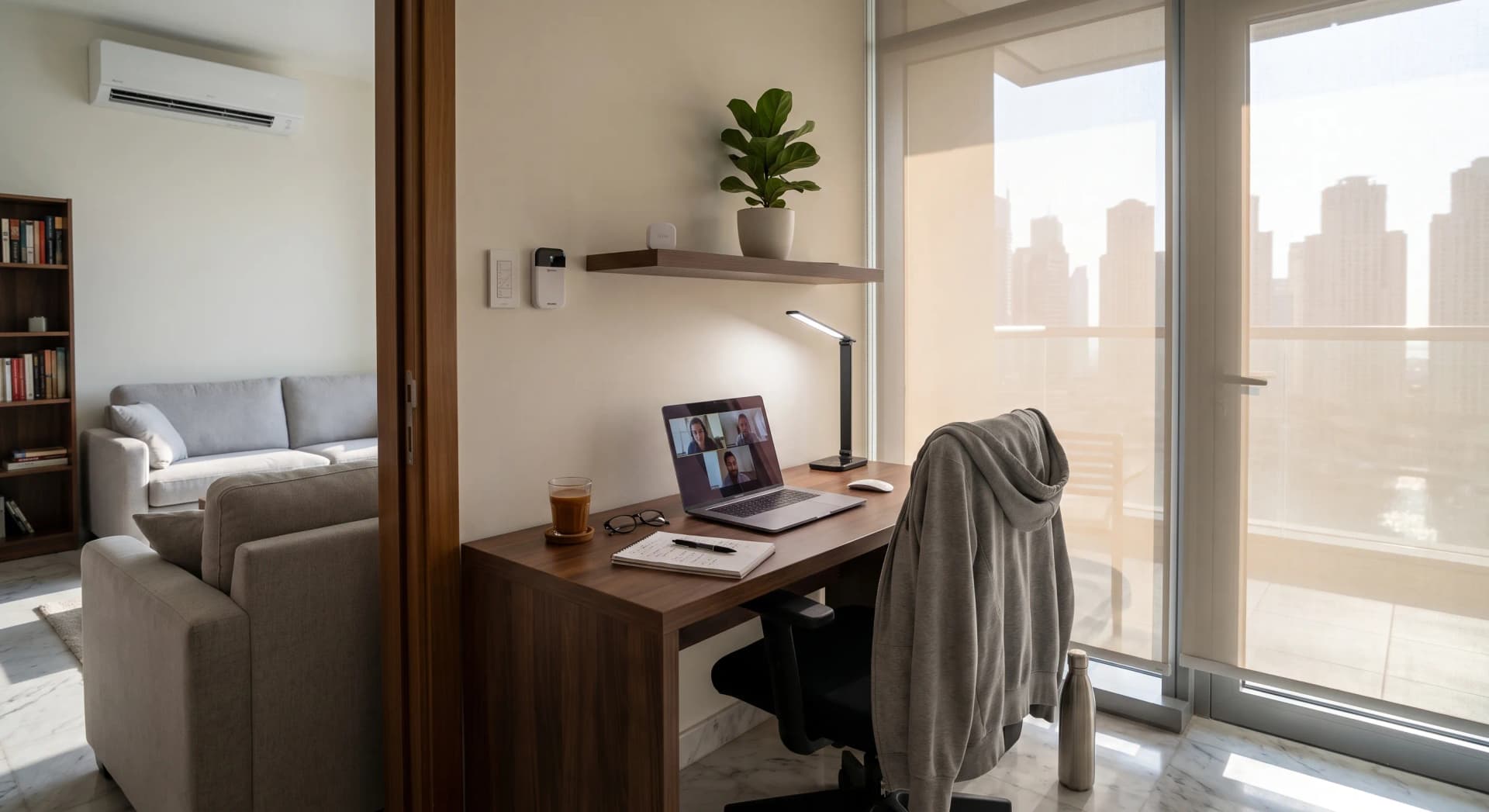
You run a whole team from your phone. You approve budgets in a lift, close deals from a car, move a project along while you wait for coffee. Then you sit down to do the work, and the setup is a spare-room desk under one hard ceiling light, with a window directly behind your head so every video call turns your face into a silhouette.
Dubai moved to a four-day summer work week on the 29th of June, running to the 10th of September (Dubai Media Office, 2026). For a lot of people that means more work hours happen at home, right through the hottest stretch of the year. The work corner you tolerated for a few calls a week is now where the real day happens.
TL;DR: Your work block is its own scene, and it needs two light modes inside it: a focus mode (bright, neutral-cool, ceiling on, around 4000K and 500 lux on the desk) and a call-ready mode (a soft light in front of your face, never a window behind you). The scene also needs an off switch, so the work day ends when the office is a room in your home. A renter setup runs AED 1,400 to 2,400. A fitted one lands around AED 3,000 to 4,800. One tap starts the day. One tap ends it.
What a Work-From-Home Scene Is
A work-from-home scene is one named setting that puts your work corner into working order and, at the end of the day, takes it back out. One light will not do it. The scene is the desk lamp, the ceiling, the blind on the side window, and that room's AC, all moving together on a button or a schedule.
The evening scene and the good-night scene each do one thing. The work scene is different, because a work day is not one mode. There is the heads-down stretch where you want to be alert, and there is the run of calls where you want to look like a person and not a shadow. Those two need different light. One scene, two modes, and then a clean exit at the end.
In the work corners we have set up across Business Bay and Dubai Marina apartments, the corner itself is almost never the problem. The desk is fine. The chair is fine. What is missing is a setting that treats the whole corner as one thing you can turn on and off.
The Two Modes Inside One Block
Focus mode is the daytime default. For heads-down work, the research points to a neutral-to-cool white around 4000K, with 300 to 500 lux landing on the desk itself, which is the standard brightness for sustained reading and screen work (WorkspaceLux, 2026). That is a task lamp doing the work on the desk, with the ceiling on for fill, not the other way around. A single warm bulb overhead, which is lovely for an evening, leaves your desk dim and your eyes tired by three in the afternoon.
Call mode is the other half. When a call starts, the light needs to move to the front of your face. A soft light placed behind your camera, angled slightly down at you, doing most of the work on your face, is the whole difference between looking present and looking like a hostage video (Webex, 2026). A slightly warmer tone, around 3500 to 4000K, is kinder to skin on camera than a hard cool light.
On a smart setup, these are two buttons or two taps. Focus for the morning block, Calls for the 11 o'clock stand-up, and you are not fumbling with a lamp thirty seconds before you go on screen.
The Window Behind You Is the Whole Problem
Here is the mistake almost every Dubai work corner makes. The desk faces the wall, which puts the floor-to-ceiling window behind the chair. It feels right, because you get the view. On camera it is a disaster. The bright hazy sky behind you tells the webcam the shot is already bright, so it darkens everything, and your face goes to shadow while the Marina skyline behind you looks lovely.
The apartments we walk into almost always have the desk facing the wrong way. The fix is to turn the desk so the window is to the side, put your key light in front, and let a motorized blind handle the side window on a schedule. In a Dubai summer that blind is doing double duty anyway. It cuts the glare that washes out your screen at two in the afternoon, and it drops the solar heat that makes the west-facing study the hottest room in the apartment. The camera framing and the cooling are the same fix.
The heat side of a work day is its own long story, and we have written the full climate version separately: how a smart apartment holds one room at working temperature for ten hours without freezing the rest of the home is covered in our summer work-from-home guide. This piece is about the light and the day.
The Part Everyone Skips: Ending the Work Day
The hardest thing about working from home is not starting. It is stopping. When the office is a room in your home, the work day bleeds into the evening, because nothing tells you it is over. The laptop stays open, the hard ceiling light stays on, and at nine you are still answering messages under office lighting in a room that should have gone quiet hours ago.
A work scene fixes this by having an ending. One tap, or a schedule at six, and the corner powers down: the key light off, the desk lamp back to a low warm setting, the ceiling off, the AC in that room eased back because nobody is working in there any more. The room stops being an office and goes back to being a room, and the rest of the apartment can move into its evening lighting instead of holding office light until midnight.
One thing clients on back-to-back calls always ask is whether this changes anything, and the honest answer is that the off switch matters more than the on switch. Getting into the work day was never the hard part. Getting out of it is.
What It Costs to Build in a Dubai Apartment
If you rent, you build the whole thing without touching a wall. Put a tunable-white smart bulb in your desk lamp and a second one in the corner lamp. An Aqara tunable-white bulb runs about AED 92, or a Philips Hue White and Colour Ambiance bulb about AED 199 (Amazon.ae, 2026). Add a small front-facing lamp for calls, and a battery keypad or a Lutron Pico so the modes live on a button and not buried in an app. A renter work-corner scene, with two or three smart bulbs, a call light, and a keypad, lands between AED 1,400 and AED 2,400 depending on how much of the corner you are dressing.
If you own the apartment, or you are staying a while, the ceiling panel comes onto the scene too. A Lutron Caseta dimmer kit with the Smart Bridge Hub and a Pico keypad runs around AED 573 (Amazon.ae, 2026). Worth knowing before you buy: the Pico keypad is not a standalone device, so budget for the kit with the hub, not the keypad on its own. A fitted work corner, with a ceiling dimmer, tunable bulbs in the lamps, a proper call light, and a keypad on the wall by the door with three buttons, lands around AED 3,000 to 4,800 installed and configured. That is inside our Smart Home Starter range, which begins at AED 3,000.
What Bayora Will Talk You Out Of
Skip the big wall touchscreen. A AED 1,200 to 1,800 panel to run three lamps is a screen you will walk past. A Pico keypad at a fraction of the price does the same job and never needs charging.
Skip the full studio rig. You are taking work calls, not filming a series. One good front light and a blind on the side window beats a three-arm ring-light setup that eats your desk and reflects in your glasses.
Skip rewiring a rental. If you are renting, everything here works on bulbs and battery keypads that come off the wall clean when you move. Do not let anyone sell you in-wall work in an apartment you do not own. For the renter-specific version of this, our guide to smart switches for renters covers what goes on the wall when you cannot touch the wiring.
Skip cooling the whole apartment for one desk. The most common waste we see is a 2-bedroom running cold all day to keep one study comfortable. The climate side of the work day is a room-by-room job, not a whole-home one.
A Business Bay Two-Bedroom, Honestly
A client in Business Bay on the Friday-off model had the classic setup: desk in the spare room, facing the wall, window behind the chair, one cool ceiling panel, and a lamp that was too warm and too dim for daytime. On calls she looked dark. By mid-afternoon her screen was washed out by the glare off the side glass, and she was closing the laptop at nine most nights without ever feeling like the day had ended.
We turned the desk ninety degrees so the window went to the side. We put a tunable-white bulb in the ceiling fixture and a second in the desk lamp, added a small neutral-white key light behind the laptop for calls, and put a motorized roller blind on the side window on a glare schedule. A Caseta keypad by the door carries three buttons: Focus, Calls, and Done. Total was AED 4,150 installed and configured. She now presses Done at six. The DEWA bill for that room came down a little, because the AC eases off when the corner powers down, but the change she talks about is that the work day has an ending again.
Where to Start
Start with the corner you already work in, not a plan to smarten the whole apartment. One tunable-white desk lamp, one front-facing call light, a blind on the side window if there is one, and a keypad on the wall. That is a real scene, and it is enough to change every work day. If the corner earns its keep over a summer of four-day weeks, the ceiling and the rest of the room can follow.
If what you run from home is your own business rather than someone else's job, the work block is only part of it. Stock, people at the door, and a day with no closing time need their own answers, and we cover those in our guide to running a small business from your Dubai apartment.
Curious what this would cost for your work corner? Tell us about your apartment and we will tell you what to buy first and what to skip. No pressure to do the whole place at once.
Frequently Asked Questions
What is the best lighting for video calls at home?
Put a soft light in front of your face, behind or beside the camera, angled slightly down, doing most of the work on your face. Never sit with a window behind you, which turns your face to shadow. A neutral-to-warm white around 3500 to 4000K is kinder to skin on camera than a hard cool light.
Do I need to rewire my apartment for a work-from-home lighting scene?
No. A renter setup runs entirely on smart bulbs in your existing lamps, a small plug-in call light, and a battery keypad that comes off the wall when you move. You only need wiring work if you own the place and want the ceiling panel itself on the scene, and even that is a single dimmer swap.
What colour temperature is best for focus and working from home?
A neutral-to-cool white around 4000K, with enough brightness that around 300 to 500 lux lands on the desk itself. That means a task lamp doing the work on the desk with the ceiling as fill. A single warm overhead bulb is lovely for the evening and too dim and too yellow for a full work day.
Does a smart work-from-home setup need constant WiFi?
You need WiFi to set it up and to control things from your phone. Once the Focus, Calls, and Done modes are saved to a keypad, pressing that button works locally, so a brief internet drop mid-morning does not leave you stuck under the wrong light.
Will a smart work corner lower my DEWA bill?
A little, and only as a side effect. When the corner powers down at the end of the day, the AC in that room eases off instead of running cold into the evening, and the blind cuts afternoon solar heat so the AC works less. The real reason to build it is a work day that starts clean and comes to an end. The lower bill is a bonus, not the point.
Ready to Get Started?
Get a free consultation and we'll recommend what makes sense for your situation.
Get Free Consultation