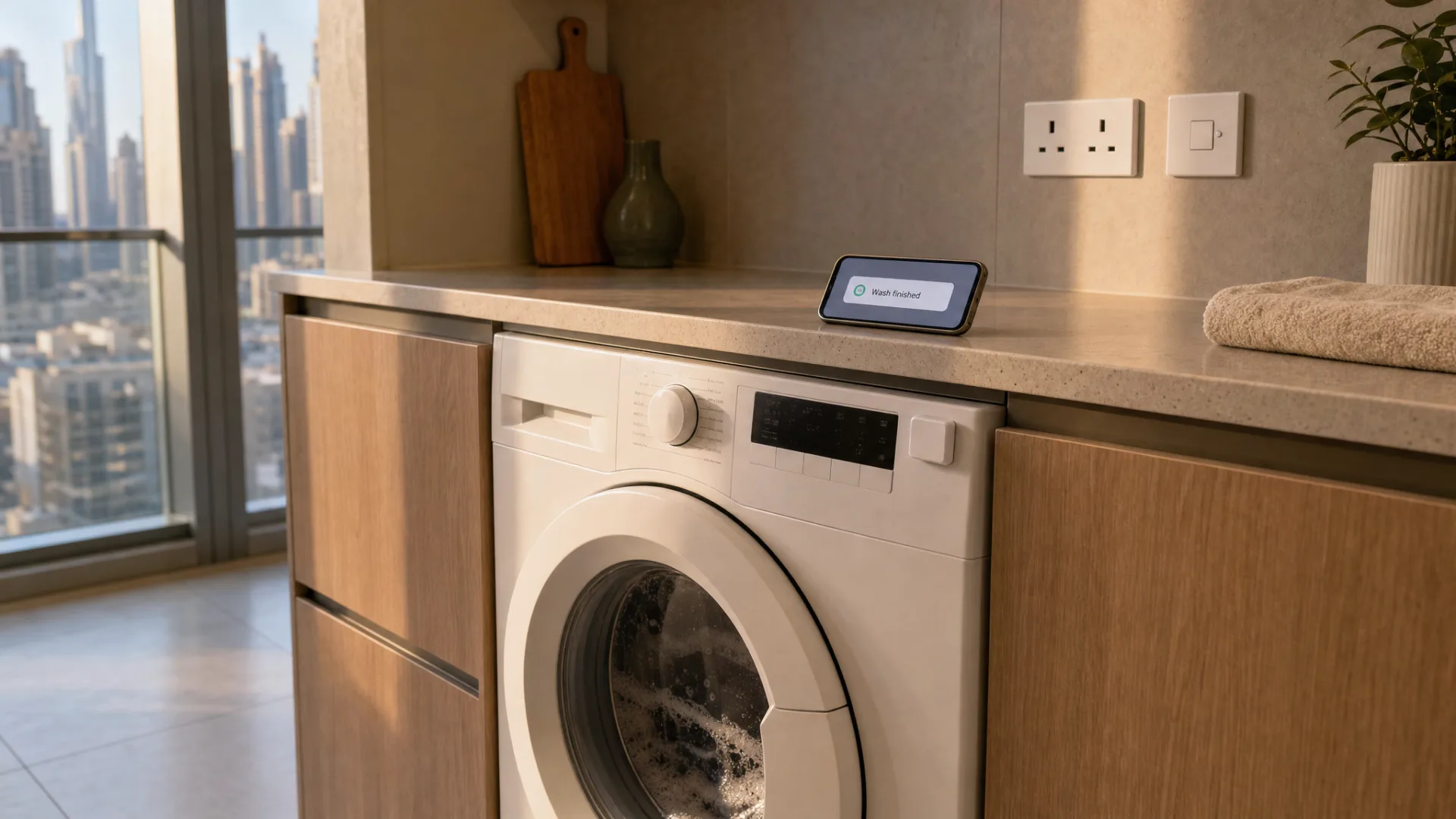
Your phone can tell you when the wash is done. If the machine has Wi-Fi, its own app probably does it already. If it doesn't, a small battery vibration sensor stuck to the machine can, once your smart home system knows to wait for it to go quiet. Either way you stop finding a damp load in the drum hours later, or doing it again because it smells.
That second part is the reason to bother. Samsung's own support page puts it plainly: "you shouldn't leave laundry sitting in the washing machine after the cycle's over because it can grow mold or mildew" (Samsung). If the machine in your Dubai flat lives in a kitchen cupboard or a utility room off the balcony, you won't hear the end beep from the bedroom anyway.
Check What the Machine Can Already Do
Look for a Wi-Fi symbol on the control panel or a brand app named in the manual before you buy anything.
Samsung's connected washers use the SmartThings app, and once the machine is added, "SmartThings notifications are turned on so you'll receive notifications automatically" (Samsung). The alert can go to "your phone, Samsung Smart TV, or Family Hub Fridge" (Samsung NZ). LG's ThinQ app lists "Receive notifications when a cycle is finished" among its laundry features, which LG marks as model dependent (LG UK).
If your machine is one of these and it was never connected, that's the whole job. Add it to the app on the phone of whoever does the laundry, and on a second phone if two of you share it.
A Vibration Sensor for a Washing Machine Without Wi-Fi
If your machine has no app, a vibration sensor is the simplest add-on, and you don't have to touch the machine's wiring to fit one. It's a small battery device that reports when it feels movement. Before you buy one, check that your system can run the rule this needs, which is "tell me once the sensor has been still for a set time". Home Assistant, software that runs a home's smart devices from one place, can. Not every brand app can.
Aqara's vibration sensor is one example. Aqara sells it to work with its own hub, says the coin battery lasts about two years, and pitches it for drawers, paintings and balcony doors (Aqara). It runs on Zigbee, the low-power radio a lot of sensors use. With Home Assistant you can leave out Aqara's hub and pair the sensor to a Zigbee USB adapter instead. Zigbee2MQTT, a common way of connecting Zigbee devices to Home Assistant, lists this sensor and shows it as vibration on or off (Zigbee2MQTT). Sticking one on a washing machine is our suggestion, and it works because a machine that's washing or spinning shakes and a machine that's finished doesn't.
Stick it on the top panel near a back corner, where it will feel the spin, and keep it away from the door and the detergent drawer.
A wash has quiet stretches in it, while the drum fills, soaks or drains, so an alert on every bit of movement would ping you all through the wash. The rule has to wait longer than the longest of those still spells before it calls the load done.
In Home Assistant that's the State changed trigger with its "For at least" option set: the trigger fires only once the sensor has stayed in its no-vibration state for the time you enter (Home Assistant). The action is a notification to your phone.
To pick the time, run your usual programme once with Home Assistant's History page open and note the longest gap between vibration reports. Set the wait a few minutes longer than that.
The same docs say the timer "resets if Home Assistant restarts or automations reload" (Home Assistant), so a load that finishes during an update may not send its alert. If nothing has arrived by the time the wash usually ends, go and look.
Send the alert to whoever is home. A notification to the person who started the load doesn't help much if they've gone to the office, so add the other phones in the house too, including the cleaner's if they do the laundry.
Why We Don't Put a Washing Machine on a Smart Plug
You'll see guides that put the washing machine on an energy-monitoring smart plug and watch the power drop. We don't. A washing machine that heats its own water draws about as much power as a kettle while it's heating. A 12 kg Midea front loader sold in the Levant is rated at 2000 W and 10 A (Midea), and a Bosch model lists a connection rating of 2300 W (Bosch). Our smart plug guide keeps kettles off smart plugs, and we treat the washing machine the same way.
Let the Phone Listen for the Beep
There's one route that needs no new hardware. If a phone usually sits within earshot of the machine, iPhone and Android both have accessibility settings that listen for household sounds, including appliance beeps or a sound you teach the phone, and turn them into a notification. We walk through setting them up in our guide to alerts for people who can't hear the doorbell. It only helps if the phone is close enough to hear the machine, so it suits a small flat better than a villa with the laundry on another floor.
No Sensor at All: Set the Finish Time
If the problem is mostly loads that finish while you're out, the machine may already solve it. Samsung's Laundry Planner lets you "specify when you want the cycle to finish" from the app, after you select Smart Control on the machine (Samsung). Some machines without an app have a delay button on the panel instead. Check the manual for whether yours delays the start or sets the end, then set it to finish about when you're home.
Once the drum's empty, wipe the door seal with a dry towel and leave the door open a crack, which is Samsung's advice for keeping the machine itself from smelling (Samsung NZ). With small children around, close the cupboard or utility room door while it airs.
If you'd like a washing machine alert set up with the rest of your smart home, tell us about your home.
Ready to Get Started?
Get a free consultation and we'll recommend what makes sense for your situation.
Get Free Consultation