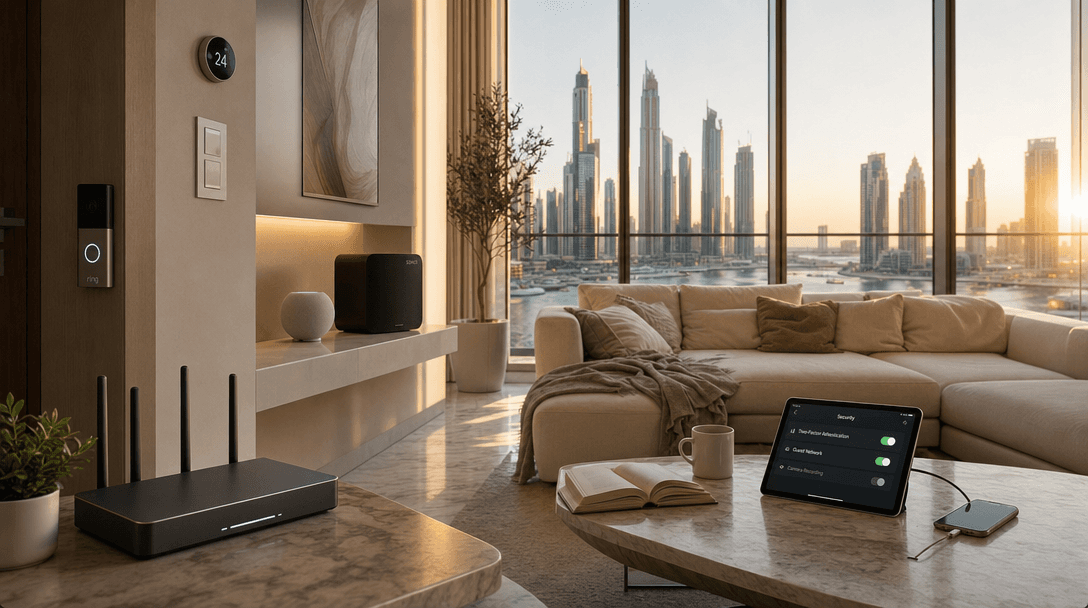
Last week, Dubai Police told residents something most of us already half-knew but had not gotten around to fixing. The smart camera you bought on Amazon, the baby monitor you set up in 10 minutes, the streaming stick plugged into your TV, all of these can be used against you if you left them on default settings.
TL;DR: The UAE Cyber Security Council says 70% of smart home devices in the country are vulnerable to cyberattacks. The fix is not buying expensive new gear. It is 30 minutes of work on your router and your existing devices: change default passwords, update firmware, isolate IoT devices on a guest network, and turn off remote access you do not use. Most attacks fail when these four things are done.
The warning landed on May 2, three days before GISEC 2026 opens at Dubai World Trade Centre, the largest cybersecurity event in the Middle East. The timing is not a coincidence. Dubai Police are putting residents on notice that connected homes are now part of the same threat surface that banks and government agencies have been hardening for years.
Most of the fixes are free. None of them require a technician. If you have a smart camera, a video doorbell, a smart speaker, or a smart TV in your apartment, the next 30 minutes are worth more than any new device you could buy.
What Dubai Police Actually Said in the May 2026 Warning
Dubai Police issued the warning on May 2, 2026, urging residents to strengthen home surveillance systems and internet-connected devices. The specific threats they named were unauthorized access to cameras, privacy breaches, and cyber extortion (Khaleej Times, 2026).
The advice was practical, not theoretical. Change default passwords the moment you set up a device. Use strong combinations of letters, numbers, and symbols. Update operating systems and apps regularly. Never share passwords or personal information with anyone claiming to be tech support, no matter how convincing the request. Turn off cameras in private spaces when you are not using them.
Baby monitors got a special mention. Police flagged them as especially vulnerable because intruders who get in can record audio, watch movements, and in some cases speak directly through the speaker. If you have a baby monitor in your home and you have not changed its default password since the day you set it up, that is the first thing to fix today.
Reports go through the eCrime portal or the non-emergency line 901.
The Numbers Are Worse Than Most People Think
The UAE Cyber Security Council says 70% of smart home devices in the country are vulnerable to cyberattacks (Arabian Business, 2025). That is not a typo. Seven out of ten cameras, voice assistants, smart plugs, and connected lights running in UAE apartments and villas have a known weakness, usually a default password or unpatched firmware.
The global picture is similar. The 2025 Bitdefender and Netgear IoT Security Landscape Report tracked 6.1 million homes and 58 million devices. Between January and October 2025, those homes faced 13.6 billion attempted attacks, an average of nearly 29 attacks per home per day, almost triple the previous year (Bitdefender, 2025).
The most-targeted devices are not the ones most people guard. Streaming devices like Fire TV and Apple TV took 25.9% of attacks. Smart TVs took 21.3%. IP cameras took 8.6%. Together they are over half of every smart home attack logged (Bitdefender, 2025). Most Dubai apartments have all three.
Your Router Is the Real Front Door
The router is where every smart home attack starts and where every smart home attack can be stopped. In our experience, when we run a survey for a new client, the router is the single weakest piece of the whole setup. Default admin password still active. Firmware two years out of date. WPS enabled. Guest network never set up.
Spend 10 minutes on the router and you cut the risk by more than half. Log in to the admin panel using the IP printed on the back of the device, usually 192.168.1.1 or 192.168.0.1. Change the admin password to something you have never used elsewhere, 16 characters or longer, with letters, numbers, and symbols mixed in. Update the firmware. Most routers from du and e&, the two main UAE ISPs, have a firmware update button right in the dashboard.
Then turn off WPS, the one-button pairing feature. It was designed for convenience and broken for security years ago. Every smart device worth owning has another way to connect.
Set Up a Guest Network for Every IoT Device
A guest network is a second WiFi name that runs on the same router but does not let devices on it talk to each other or to the main network. It is the single most effective thing you can do for smart home security and almost no one in Dubai uses it.
Here is the rule. Phones, laptops, work computers, anything with personal banking or work email goes on the main network. Cameras, smart plugs, doorbells, smart TVs, baby monitors, robot vacuums, anything with a sensor or a microphone goes on the guest network. If a hacker gets into your video doorbell, they cannot pivot from there into your laptop, because the two networks do not see each other.
Most modern routers have a guest network option built in. Name it something different from your main network so devices do not auto-connect to the wrong one. Set a strong password. Done. When you set up a new device, connect it only to the guest network. We do this for every client. It takes 5 minutes and prevents the worst class of attack.
What to Change on Each Device Type Today
Every device class has one or two settings that matter more than the rest. Cover these and you have done 80% of the work.
Cameras and video doorbells. Change the default password. Enable two-factor authentication on the app. Turn on encryption if it is not on by default. If the camera covers a private space like a bedroom, set it to record only when armed, or use the physical privacy shutter many newer models have.
Smart speakers. Disable purchasing without a PIN. Review and delete voice recordings monthly. If you do not use the drop-in or intercom feature, turn it off. Place the speaker so its microphone is not pointed at where you have private conversations or work calls.
Smart TVs and streaming sticks. Update firmware. Disable automatic content recognition, sometimes labeled ACR or "use of viewing data." Sign out of any app you do not actively use. These devices are quietly the most attacked in the home.
Smart locks. Use a long PIN, not the 4-digit default. Enable auto-lock. Check the activity log monthly. If the lock has Bluetooth and WiFi, only enable WiFi if you actually need remote access. See our smart locks for Dubai apartments guide for the apartment-specific setup.
Two-Factor Authentication on Every App
Two-factor authentication, or 2FA, is the single biggest gap in most home setups. Without it, anyone with your password is in. With it, they need your password plus a code from your phone or an authenticator app.
Turn on 2FA for every smart home app you use. Apple Home, Google Home, Alexa, Aqara, Ring, Nest, Sonos, Lutron, Philips Hue, Home Assistant. Every one of them supports it. Use an authenticator app like Authy or Google Authenticator rather than SMS where possible, since SMS can be hijacked through SIM swapping. The UAE banking sector already moved off SMS one-time codes for exactly this reason (Gulf News, 2025).
When we install whole-home systems, we set up 2FA on every connected app before handover and walk the client through how to use it. It is not optional. A new client in Downtown Dubai had their old camera account compromised before we arrived because the only thing protecting it was a six-character password from 2018.
Update Everything, Then Set It to Update Itself
Firmware updates are not a polite suggestion. They are how manufacturers patch the holes attackers are actively using. The 2025 Bitdefender data shows that most of the 13.6 billion attacks they tracked targeted vulnerabilities the manufacturer had already fixed in a newer firmware version. The devices got hit because no one applied the update (Bitdefender, 2025).
Open every smart home app on your phone right now. Check for firmware updates. Apply them. Then go into settings and turn on automatic updates. Most modern apps support this. Routers, cameras, doorbells, smart speakers, smart locks, all of them.
What we have found is that most clients have devices running firmware from 18 months ago, sometimes longer. When we update them, the apps suddenly run faster, integrations work better, and the device list of "known vulnerabilities" drops to zero. It is the single highest-impact 10 minutes you will spend on your smart home this year.
Disable Remote Access You Do Not Use
Most smart home apps default to "always on, always reachable from the internet." That is the convenience setting. It is also the attack surface setting. If you never check your camera feed from the office or unlock the door for guests while at brunch, turn remote access off.
Open the app for each device. Find the section labeled "remote access," "cloud access," or "away mode." Turn it off for any device that does not need it. The smart bulb in your hallway does not need to be reachable from a hotel in London. Neither does the smart plug behind your TV. Only cameras, doorbells, and locks usually need true remote access, and even those only if you use it on a regular basis.
For everything else, local control inside your home is enough. This is one reason we install Home Assistant for clients who want maximum control. It runs locally by default and only exposes what you explicitly choose.
The 30-Minute Checklist
If you do nothing else this week, do this. In order:
- Log into your router. Change the admin password. Update the firmware. Turn off WPS.
- Set up a guest network. Move every camera, smart plug, smart TV, smart speaker, baby monitor, and doorbell onto it.
- Change the default password on every smart device. Use a unique password per device, stored in a password manager like Bitwarden or 1Password.
- Enable 2FA on every smart home app. Use an authenticator app, not SMS.
- Update firmware on every device. Turn on automatic updates where available.
- Turn off remote access on devices that do not need it.
- Delete old smart home accounts for devices you no longer own.
Thirty minutes total, less if you have fewer devices. The result is a smart home that is harder to break into than most apartments in your building, and the only person who notices is you.
When to Bring in a Professional
Most apartments are fine with the steps above. But three situations are worth a professional setup, and we have walked all three of them recently with Dubai clients.
First, if you have more than 20 connected devices, the manual approach gets fragile. A network with proper VLANs, segmented IoT traffic, and centralized monitoring scales better. Second, if you run a business from home, your work devices and your smart home should never share a network, period. Third, if you have a villa with outdoor cameras, gate access, and multiple buildings, the attack surface is bigger and so is the cost of getting it wrong.
For these cases, our home security service handles the network design, device hardening, and ongoing monitoring as one package. We use enterprise-grade routers, properly segmented networks, and we test every device the way an attacker would before we hand the keys over.
Frequently Asked Questions
Are smart home devices really being hacked in Dubai?
Yes. Dubai Police issued a public warning on May 2, 2026, urging residents to harden smart home devices after reports of unauthorized access, privacy breaches, and extortion attempts. The UAE Cyber Security Council says 70% of smart home devices in the country are vulnerable, mostly because of weak default settings.
Can I secure my smart home without buying new equipment?
Yes. The 30-minute checklist in this guide costs nothing and fixes most of the risk. Change default passwords, update firmware, set up a guest network, enable two-factor authentication, and turn off remote access you do not use. New equipment helps only if your old gear is so out of date the manufacturer no longer issues security patches.
Do I need a guest network if I trust everyone in my home?
Yes. The guest network is not about people, it is about devices. If a hacker compromises your smart camera or doorbell, a guest network prevents them from reaching your laptop, phone, or work computer. The threat is lateral movement between devices, not the people in your house.
Is two-factor authentication really necessary for smart home apps?
Yes. Without 2FA, anyone with your password can log in. Passwords get leaked in data breaches all the time. With 2FA, even a leaked password is not enough, because the attacker still needs the code from your phone. Use an authenticator app rather than SMS where possible.
What should I do if I think a smart device has already been compromised?
Disconnect the device from your network immediately. Reset it to factory settings. Change the password on every other device that shares the same email or password. Report the incident through the UAE eCrime portal or call 901. Then run through the 30-minute checklist before reconnecting anything.
If you have a smart home in Dubai and you want a professional review of your network security, book a free consultation and we will tell you exactly what needs hardening, what is already fine, and what to skip. No upsell, no pressure, only an honest assessment.
Ready to Get Started?
Get a free consultation and we'll recommend what makes sense for your situation.
Get Free Consultation