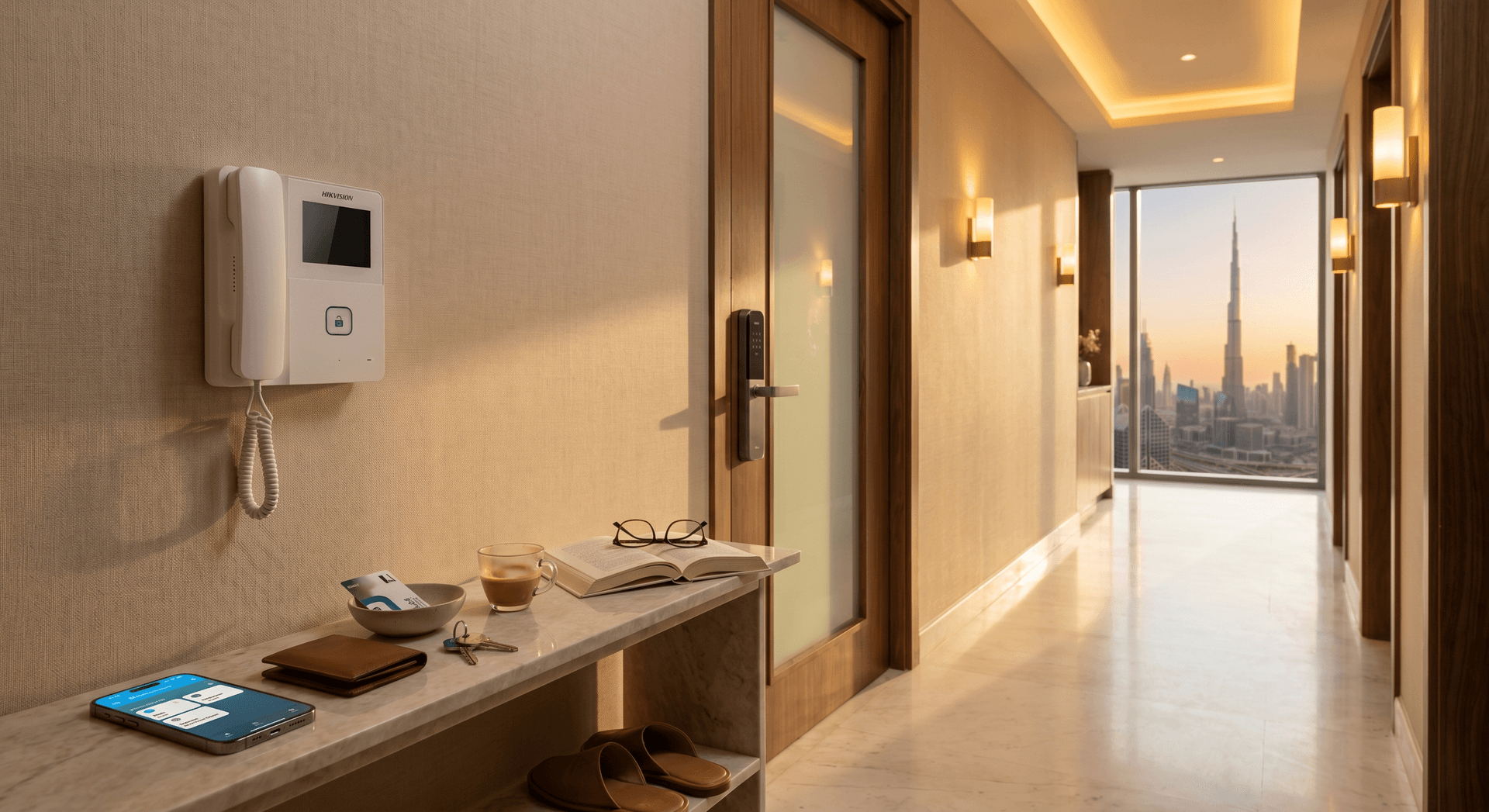
Picture a 2-bedroom in Business Bay. The tenant runs marketing for an agency, takes 5 to 7 client calls a day, and has a cleaner who comes twice a week. The building intercom is a small white Hikvision handset mounted on the wall next to her front door. The handset works perfectly. It rings when someone is at the lobby. She presses a button and the lobby door opens. It is from 2018 and has never broken.
It also does not exist when she is not in the apartment.
On a Tuesday morning, her cleaner stood in the lobby for 15 minutes because she was in a client meeting and could not get to the handset. On a Thursday evening, a Deliveroo driver buzzed three times during her workout, then marked the order undelivered. On a Saturday, her sister stopped by unannounced and ended up at a Starbucks two streets over because nobody could buzz her up.
This is the pattern we walk into in Dubai Marina, Business Bay, JBR, and Downtown apartments most weeks. The handset is not the problem. The problem is that the handset only works from inside the apartment, and the tenant's life happens everywhere else.
TL;DR: Every Dubai apartment has a building intercom from the developer (Hikvision, Commax, Fermax, Panasonic). It works from inside only. Three ways to make it ring your phone: a SIP indoor monitor upgrade (AED 2,500-5,500), a Shelly relay behind the existing handset (AED 380-680, renter-friendly), or skip the intercom and add a video doorbell plus smart lock at the apartment door (AED 1,300-2,200). Most renters in our experience want the middle option. Add a smart lock and the whole setup lands around AED 1,640.
What's in Your Apartment Right Now
Walk over to the front door of your Dubai apartment. There is a wall-mounted unit next to it, usually about a metre off the ground, with a small screen and one or two buttons. That is the building intercom indoor handset, and the brand is almost always Hikvision, Commax, Fermax, or Panasonic (V-ITS, 2026). In Marina and Business Bay developments from 2018 onwards it is often a Hikvision IP system. In older JBR and Downtown stock from 2008-2014 it is more often Commax or Fermax on a 2-wire analog bus.
The lobby side has a matching door station with a camera and a keypad. The two units talk to each other over the building's intercom wiring. When the lobby station rings up, your handset chimes. You press the unlock button. The lobby door clicks open. That is the entire system.
The handset does one job well. The job it does not do is ring you when you are not standing next to it.
The Three Ways to Fix This
In our experience surveying apartments in Marina, Business Bay, JBR, and Downtown, there are three real options for making the building intercom ring your phone. Each fits a different type of resident, and the cost difference between them is large. The intercom is one of the four access jobs every Dubai apartment has, and we treat it as the foundation layer underneath the doorbell, the lock, and the cameras.
The honest answer is that most renters want the middle option. Here is each one, what it does, and what it costs in Dubai.
Approach 1: Replace the Handset with a SIP Indoor Monitor
The full upgrade. You replace the developer's analog or basic IP handset with a SIP-compatible touchscreen indoor monitor. A common pick in the UAE is the Akuvox C313, a 7-inch capacitive touchscreen with SIP 2.0 support, Wi-Fi and Ethernet, and Akuvox Smart Cloud Intercom subscription that pushes calls to your phone (Akuvox UAE, 2026, ITstore.ae, 2026). When the lobby buzzes, your phone rings. You see who is at the lobby. You press unlock. They walk in.
This sounds like the obvious answer. It is also the most expensive, and for most renters it is the wrong choice.
Why it works. Hardware-grade replacement of a hardware-grade problem. The Akuvox app is reliable and the SIP protocol is open enough that the indoor monitor can be repurposed if you move (assuming the new building also uses an Akuvox-compatible system). When it works, it works the same way every day for years.
Why it usually does not fit. You need three things to line up. First, the building's intercom system has to be SIP-compatible or have a gateway that bridges its legacy protocol to SIP. Newer (2018+) Hikvision IP buildings are usually fine. Older Commax and Fermax analog buildings require an extra gateway box that the building's FM may or may not approve. Second, you need an NOC from building management before swapping the handset, because the handset is treated as part of the building's infrastructure (Interiofy, 2026, Fitout Approvals, 2026). Third, you are committing to a cloud subscription for the smartphone feature, which means losing access at lease-end.
What it costs in Dubai. AED 1,500-2,200 for the C313 hardware, AED 1,000-2,500 for installation, gateway (if needed), and FM coordination, AED 2,500-5,500 total installed. Plus a monthly cloud subscription on the smartphone app for the lifetime of the install.
When this is the right call. You own the apartment. You will be in it for 5+ years. The building's intercom is already SIP-compatible. FM is responsive and willing to coordinate. You want one piece of hardware at the door that does both the building intercom and your apartment-side automation.
For most renters in Marina and Business Bay on a 1 or 2-year lease, this is not the right call. The investment does not move with you.
Approach 2: Hide a Shelly Relay Behind the Existing Handset
The renter answer. The handset stays exactly where it is. The building intercom keeps working exactly as it does today. The lobby station still rings the handset. The unlock button still opens the lobby door. FM walks past the front door and sees no change.
The only thing different is a small smart relay tucked into the back-box behind the handset. The Shelly 1 Mini Gen3 is the standard pick: 8A dry-contact, Wi-Fi and Bluetooth, no hub required, available on Amazon.ae and Noon UAE (Amazon.ae, 2026, Noon UAE, 2026). The two terminals on the Shelly are wired in parallel with the existing unlock button on the back of the handset. When the Shelly fires, the intercom system sees it as the unlock button being pressed (Matt Horan, 2022). The lobby door opens.
A Home Assistant button on your phone now does the same thing the unlock button does, from anywhere on the planet. The Shelly is configured with a 10-second auto-off timer, which is the equivalent of holding the unlock button for 10 seconds, and Power-On-Default OFF, so a power cut keeps the lobby door locked. Both are safety defaults we set on every install.
The Home Assistant community has documented this approach since at least 2022, with thread-level confirmation from owners across Europe, the US, and the UAE (Home Assistant Community, 2023, Smarthome Community, 2024).
What it does NOT do. It does not give you video of who is at the lobby. The Shelly only handles the unlock signal. If you want to see who you are buzzing in, you need to either pair this with the lobby concierge calling you on WhatsApp (the standard Dubai pattern) or pre-authorize visitors at known times. We will come back to the housekeeper pattern in a moment.
What it costs in Dubai. Shelly 1 Mini Gen3 is AED 90-150. A 12V DC adapter (if your handset does not carry usable power for the relay) is AED 40-80. Installation by a SIRA-listed or DEWA-approved electrician is 30-45 minutes behind the handset, AED 250-450. Total: AED 380-680 installed.
The NOC question. Because the building intercom keeps working as-is, and the Shelly sits inside the apartment-side handset back-box, most building management offices in our experience do not require an NOC. We still tell clients to ask, in writing, before the install. Two minutes of polite WhatsApp to FM saves a lot of friction.
This is the option we install most often in Marina and Business Bay 1 and 2-bed apartments. It is the right answer for a renter on a 1-year lease, and it leaves the building's hardware untouched.
Approach 3: Skip the Intercom, Add a Parallel Access Layer
The zero-intercom-modification path. You do not touch the building intercom at all. Instead you add two things at your apartment door: a video doorbell and a smart lock. Visitors at the lobby are handled by a different route entirely.
The video doorbell rings your phone when someone is at your apartment door (see our doorbell guide). The smart lock lets you unlock from your phone or auto-unlock when you arrive (see our locks guide). Neither device touches the building's intercom system. FM has nothing to inspect.
The lobby-to-apartment-door gap gets handled by one of three patterns we see across Dubai buildings:
- Concierge route. Most Marina, Business Bay, and Downtown buildings have a concierge or security desk in the lobby 24/7. Visitors go to the concierge. Concierge calls you on WhatsApp. You authorize. Concierge buzzes them through and points them to your apartment.
- Pre-registration route. Recurring visitors like the housekeeper or a regular dog-walker get pre-registered at building security. Their name is on a list. They show ID at the desk and security buzzes them through without calling you.
- Delivery locker route. Newer buildings have package lockers in the lobby. Deliveries leave packages in the locker and you collect them when you are home. If your building has no locker and you want the parcel inside your door instead, our guide on letting a courier in with a one-time PIN covers the smart-lock-and-doorbell setup for exactly that.
What it costs in Dubai. Video doorbell AED 399-700 hardware (Ring, Eufy, or Aqara G410 depending on your door), smart lock AED 900-1,500 installed (Aqara U200 retrofit fits over the existing deadbolt with no drilling). Total: AED 1,300-2,200 installed.
Why it works in some buildings. If your building has a responsive concierge and you can pre-register your housekeeper, this is the cleanest solution. No FM coordination, no electrical work, fully portable when you move.
Why it does not work for everyone. If your building has no concierge (rare in Marina, common in older Discovery Gardens or International City buildings), the lobby gap is real and the parallel approach leaves it open. In our experience, about 80% of Marina and Business Bay buildings have a concierge that makes this workable. About 40% of older outer-Dubai buildings do not.
What We Tell Clients Not to Buy
The honest-recommendation principle is the most expensive thing we sell, and it applies here as much as anywhere. There are four product categories where the marketing is louder than the value.
-
The AED 8,000-15,000 full apartment indoor-monitor swap when the building intercom is fine. A Shelly behind the existing handset solves 90% of the actual pain point for AED 500. The other 10% (live video of the lobby) is usually solved by concierge for free.
-
Cloud-locked-in intercom subscriptions for renters. Some smart intercom systems charge AED 30-50 per month for the smartphone feature. Over a 2-year lease that is AED 720-1,200 of recurring spend that disappears at move-out. Buy the relay outright, run it on Home Assistant locally, no subscription.
-
"Replace the building's lobby station" packages. This is not a tenant project. The lobby station is the building's property. If you see a quote that includes lobby-side hardware, you are looking at a building-wide upgrade that needs the owners' association, not your installer.
-
DIY microphone-bridge hacks that try to turn the intercom's audio into a smartphone call by sticking a microphone next to the handset speaker. We see these on YouTube. They are unreliable, they do not survive Dubai summer humidity inside a wall back-box, and the feedback squeals at 03:00 when somebody buzzes the wrong apartment. Skip them.
What a Bayora Install Looks Like in Business Bay
The pattern we opened with is the most common shape of this conversation. A 2-bed apartment in a 2018+ tower with a Hikvision IP intercom system. Hardware-side: the wall handset by the front door, the lobby station, the building's intercom wiring. Pain pattern: cleaner Tuesdays at 10:30am and Saturdays at 09:00am, frequent deliveries during workouts, occasional weekend visitors. The first quote from another installer often lands around AED 8,500-9,500 for a full Akuvox C313 swap plus a cloud subscription. That is the moment we usually get the second-look call.
A Bayora survey takes around 45 minutes. For this shape of apartment, the recommendation is Approach 2 plus a smart lock. The install runs around 90 minutes.
What we install:
- Shelly 1 Mini Gen3 wired in parallel with the unlock button on the back of the existing Hikvision handset. Tucked into the back-box. No visible change. AED 130 hardware.
- Aqara U200 retrofit smart lock at the apartment door. Fits over the existing deadbolt, no drilling, takes 15 minutes. AED 1,250 installed.
- Home Assistant configuration. Two phone buttons: "Buzz Lobby" (10-second auto-off) and "Unlock Apartment Door." Geofence at 50m around the building auto-unlocks the apartment door on arrival.
- Two scheduled access windows. Tuesdays 10:25am-10:45am and Saturdays 08:55am-09:30am: the cleaner can buzz herself in once via a shared Home Assistant guest link. Tenant gets a WhatsApp confirmation when each authorization fires.
Labor on top: AED 260. Total install: AED 1,640.
What changes in the first six weeks. The cleaner stops getting stuck in the lobby. Deliveries land at 100% because the tenant buzzes from anywhere she has signal, which is anywhere. Weekend visitors get let in without a phone call. The video doorbell often comes as Phase 2 a month later, when the tenant wants to see who is at the apartment door before unlocking it from the gym.
What we talk people out of: the AED 8,500-9,500 alternative. The budget delta is enough for motorized blinds in the living room a quarter later, which is where it tends to land.
The NOC Question, Honestly
We are not going to pretend this part is uncomplicated. Dubai apartments are governed by the building's owners' association, the FM company, and DEWA for any electrical work that goes beyond a single device behind a faceplate. The honest picture:
- Approach 1 (SIP indoor monitor swap) usually needs an NOC from FM because you are removing a device that belongs to the building's intercom system. Some FMs say yes immediately. Some require the installer to be SIRA-listed and the new device to be from an approved brand list. Plan for 1-2 weeks of coordination.
- Approach 2 (Shelly behind the handset) in our experience does not require an NOC because the building intercom keeps working as-is. We still send a 2-line WhatsApp to FM saying "we are adding a small Wi-Fi accessory inside the apartment behind the handset, no change to building-side wiring." A polite written notice avoids the rare case where FM later notices and asks about it.
- Approach 3 (parallel access) needs nothing from FM. The smart lock at your apartment door is your business as the tenant, the video doorbell is mounted on your apartment door with adhesive, and the building intercom is untouched.
If FM pushes back on Approach 2, the answer is usually that the FM is confused about what we are installing. A 5-minute explanation that we are not touching the building-side wiring resolves it. If it does not, we recommend Approach 3 instead.
For DEWA: an NOC is needed when wiring goes beyond a single device. None of these three approaches typically requires a DEWA NOC if the installer is licensed and the work is contained within the apartment.
Cross-System Integration
Where this starts to feel like a smart home is when the lobby buzz triggers more than the door opening. We set up three patterns most often:
Visitor scene. One tap on the phone. Lobby buzzes open, hallway lights inside the apartment come up to 70%, AC sets to 23°C if she has been gone more than 4 hours. By the time the visitor walks from the lobby to her door, the apartment is ready.
Housekeeper window. Recurring access scheduled for known days and times. Tuesdays 10-11am, Saturdays 9-10am. The window opens automatically, accepts one buzz, then disables. WhatsApp confirmation to the tenant when each access fires. No standing access, no keys handed out.
Coming-home automation. Geofence at 200m around the building. When the tenant's phone enters the radius, the AC pre-cools to 22°C, the living room lighting goes to the warm-evening scene, the blinds drop halfway, and the apartment door unlocks on phone presence. The intercom is a quieter player in this scene because she is the visitor.
This is what "your home runs itself" means in practice. The intercom is one of the four or five systems that need to know your schedule. Once the relay is in place, it joins the others.
Frequently Asked Questions
Will adding a Shelly relay to my intercom violate my lease or warranty?
In our experience, a Shelly wired in parallel with the unlock button does not break either, because the building intercom continues to function exactly as before. The Shelly is an accessory inside the apartment-side handset, not a modification to the building's wiring. We still recommend sending a 2-line written notice to your building's FM before the install. Most FMs reply with no objection. If your lease has an explicit clause about not touching the intercom, ask FM for written permission first.
Can I do this myself or do I need an electrician?
You can buy the Shelly online and watch a YouTube video, but we recommend a SIRA-listed or DEWA-approved electrician for the install. Three reasons: you are working behind a building-owned device, you are wiring into the intercom's low-voltage bus, and you are configuring the failsafe defaults on the Shelly. A licensed installer takes 45 minutes and gives you written documentation that you did not modify building-side wiring, which protects you if FM ever asks.
What if my building's intercom is an old Commax or Fermax system?
The Shelly relay approach (Approach 2) works on almost any intercom that has an unlock button, including very old Commax and Fermax 2-wire analog systems. The unlock button is electrically the same on every system: a momentary contact closure that signals the lobby door to open. We have done this install on systems from 2008 onwards without issue. The full SIP indoor monitor upgrade (Approach 1) does not work on older analog systems without an extra gateway box, which is why we usually recommend Approach 2 for older buildings.
Does this work with Alexa, Google Home, or Apple HomeKit?
Yes for the relay, partial for the rest. The Shelly 1 Mini Gen3 exposes a button you can fire from Alexa, Google Home, Apple HomeKit (via a Matter or Home Assistant bridge), or directly from a Home Assistant dashboard. For voice unlocks (saying "Alexa, buzz them in") we usually disable it by default because voice triggers in apartments overhear neighbours and house guests. We turn it on only for the apartment-door smart lock, not the lobby buzzer, and even then only with a 4-digit voice PIN.
What happens if my Wi-Fi goes down? Will I be locked out?
No. The building intercom keeps working as it did before, because nothing on the building side has changed. The unlock button on the handset still works manually. The Shelly's only role is adding a second way to fire the unlock signal, from your phone. If Wi-Fi is down, the handset still buzzes when someone is at the lobby, and the smart lock at your apartment door falls back to its physical keypad or key. We design every Bayora install so that loss of internet means loss of remote control, not loss of access.
What This Costs in Dubai
Three tiers based on the three approaches:
- Renter, simple: Shelly behind the handset only. AED 380-680 installed. Phone buzzes the lobby. Visit handling stays as it is today, only now from anywhere.
- Renter, complete (the case study above): Shelly behind the handset + Aqara U200 smart lock at the apartment door + Home Assistant setup with scheduled access windows. AED 1,300-1,800 installed. This is the version we install most.
- Owner, full upgrade: Akuvox C313 SIP indoor monitor (with FM-coordinated install) + smart lock at the apartment door + video doorbell. AED 4,000-7,500 installed. Worth it for owners staying 5+ years in a building with a SIP-friendly intercom.
The brand pages for the components are here: Aqara, Shelly, and Home Assistant for the local control layer.
Where to Start
If you are a renter in a Dubai apartment and the building intercom only working from inside is your daily friction, the answer is almost always Approach 2 plus a smart lock. The AED 1,640 setup is the median Bayora install for this problem, and it survives moving apartments because both pieces are portable. It fits in the wider home security layer alongside doorbell, lock, and camera once the lobby gap is closed.
The conversation that gets you there is short. We come look at your handset, identify the brand, confirm the unlock-button terminals are accessible from the back-box, and quote the install in writing. If FM has an unusual requirement or the handset is unusually wired, we tell you in the survey and you walk away knowing exactly what your apartment can support.
Get a free survey. The handset has been working since the developer installed it. We make sure it answers when you are not in the apartment.
Ready to Get Started?
Get a free consultation and we'll recommend what makes sense for your situation.
Get Free Consultation