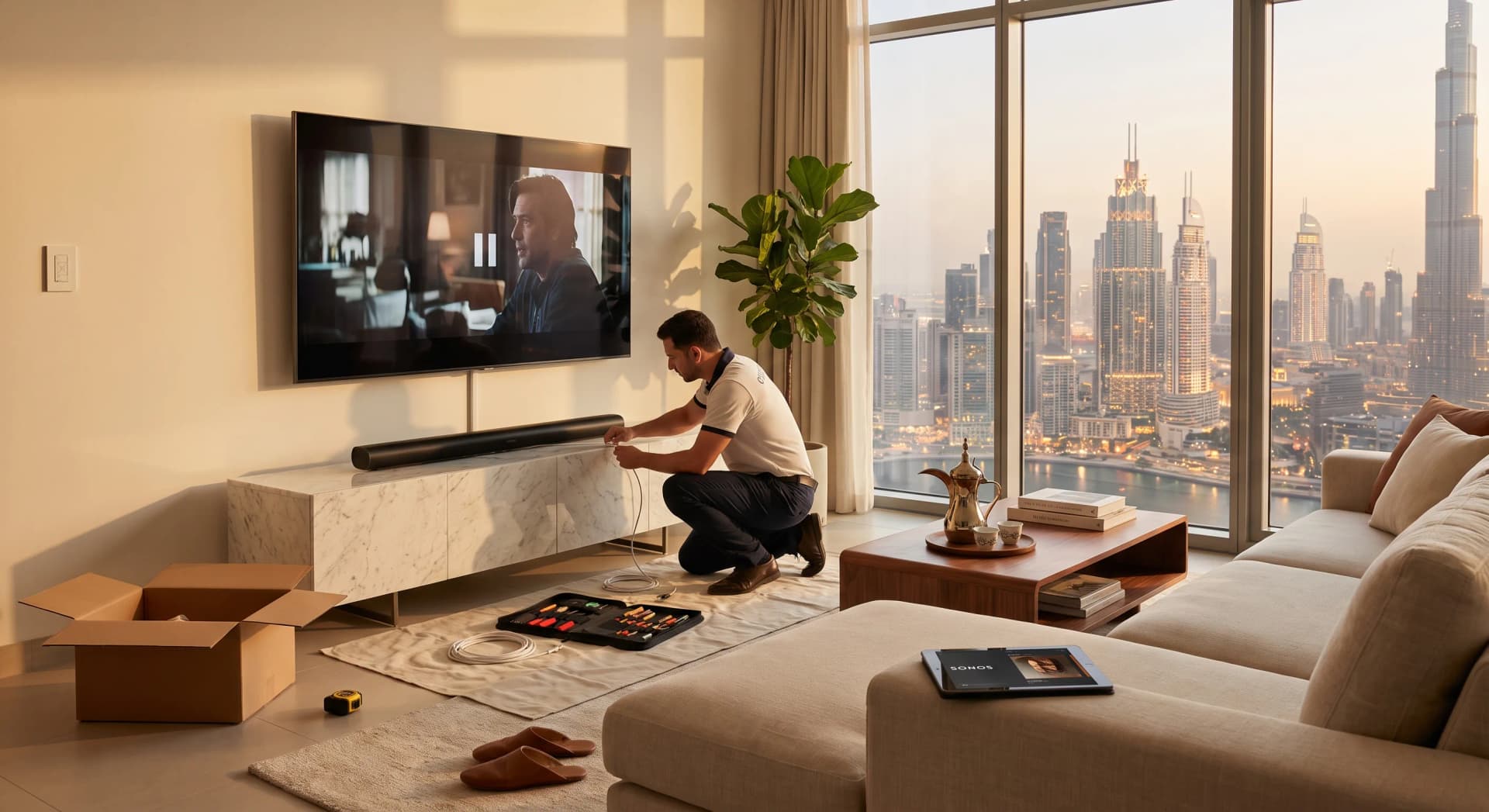
You Want Better Sound. You Don't Know What Happens Next.
Most people in Dubai figure out what they want from their apartment's AV before they figure out how to get it. You've watched enough YouTube to know a Sonos Arc sounds better than the TV speakers. You've seen a friend's place with speakers you can't see, sound that fills the room properly, and a TV that comes on when you sit down. You want that. What you don't know is what calling someone like us involves, how disruptive the process is, or whether your apartment can even handle it.
That's what this guide covers. Not which products to buy - we have other posts for that, including the soundbar vs in-ceiling comparison and the Sonos buyer's guide for Dubai apartments. This is the walkthrough of the process from the first call to the moment we hand over and leave.
TL;DR: A standard apartment AV install - TV mounting, soundbar or in-ceiling speakers, cabling, and basic control setup - takes one to two days on site and costs between AED 5,000 and AED 25,000 depending on what you're doing. A proper multi-room audio setup across a 2-bedroom adds another AED 5,000 to AED 15,000. The disruption is less than you expect if the prep is done right. The most important part isn't the equipment - it's the cable routing plan, and that has to be decided before anything goes on the wall.
Why This Is Worth Planning Before Anything Gets Mounted
In our experience doing AV installations across Dubai apartments from Business Bay to JBR to the Palm, the jobs that go smoothly are the ones where someone thought about where the cables go before the TV went up. The jobs that don't are the ones where a client's friend mounted a 65-inch TV, then called us to "just add a soundbar" and there's nowhere to run the wires cleanly.
A wall-mounted TV with visible cables running down to a soundbar looks fine until it doesn't. Then you're looking at it every time you sit on the sofa. Getting the cable management right the first time is one of those things where the cost of doing it properly is small, and the cost of undoing a bad job is not.
Step 1: The Survey
The first thing we do is come and look at the apartment. Free, no commitment, usually 45 to 60 minutes.
What we're assessing during a survey:
Wall construction. Dubai apartments vary more than you'd expect. Some are gypsum partition walls - cable routing is straightforward. Some are solid concrete - you need to chase a channel for cables, which adds cost and time. Some high-rises have a mix. We need to know before we specify anything.
Cable routes. Where does the cable run from the TV to the AV rack or soundbar? Is there a false ceiling? A hollow skirting board? A route through a wardrobe? The cleanest installations are the ones where the cable disappears entirely. We map this before agreeing to a price.
Power. Where are the sockets, and are there enough of them? A TV, a soundbar, a media player, and a streaming stick is four plugs minimum. In-ceiling speaker amplifiers add more. We recommend not daisy-chaining extensions if the setup is permanent.
WiFi. If the system will be app-controlled or connected to a smart home platform, we check signal strength in the TV area and in any room getting speakers. Dubai high-rises can have congested 2.4GHz networks, which matters for wireless audio systems. We've seen Sonos stutter in apartments where four neighbours' routers were competing on the same channel. Fixable, but worth knowing before handover day.
Your use case. Do you mostly watch films? Sports? Do you listen to music in the bedroom, the kitchen, or both? Do you host often? Do you want to control everything from one app, or is a remote fine? The answers shape the specification. Someone who watches football twice a week and wants good sound while cooking needs a different setup than someone building a dedicated viewing room.
After the survey, we put together a specification: exactly what equipment, where it goes, what the cable routes are, and what it costs. You review it, adjust it if something doesn't match what you wanted, and confirm. We don't order anything until that document is agreed.
Step 2: The Specification and What Goes Into It
A full AV specification for a Dubai apartment covers a few distinct areas:
Display. TV size, mounting position, wall bracket type, and whether the mount is fixed or tilting. A 65-inch Samsung QLED or LG OLED in the AED 4,000 to AED 7,000 range is the most common living-room pick at mid-spec. Larger screens (75, 85-inch) start from around AED 6,000 and go up depending on the panel technology.
Sound. This is where the specification does the most work. The main options for a Dubai apartment are:
-
Soundbar. The cleanest option for most apartments. A Sonos Arc Ultra at AED 3,779 from Sharaf DG covers Dolby Atmos from one unit under the TV. Paired with a Sub Mini and two Era 100s as rears, you get proper 5.1 immersive sound without any ceiling work. Best for renters or anyone who wants great sound without permanent modifications.
-
In-ceiling speakers. A better option for owners willing to make the apartment permanent. Mid-tier in-ceiling speakers from brands like KEF, Monitor Audio, and Polk Audio run AED 800 to AED 1,500 per unit and require ceiling cut-outs and cable routing. The result is sound that comes from above, which is more accurate for film and music. In a Dubai apartment with 2.7m ceilings, two well-positioned in-ceiling speakers per room sound significantly better than a soundbar in the same position, especially for music.
-
In-wall speakers. Less common in apartments but worth considering if you're doing renovation at the same time. Hide the speaker completely in the wall, no cut-out visibility, cleaner than ceiling-mounted in most sitting arrangements.
Control. A basic setup uses the TV remote and the Sonos app on a phone. A more integrated setup ties TV, lights, and blinds to a single "Watch" scene through a control platform - Home Assistant for the open-platform route, or Control4 at the premium end. The scene comes on when you pick up the remote or tap the app. Lights dim, blinds close, TV on, sound at the right level. Every client who has lived with a proper movie scene says they can't go back to doing it manually.
Cabling. The specification lists every cable route, the cable type (HDMI 2.1 for 4K/120Hz, speaker cable gauge, network cable for anything that benefits from a hard Ethernet connection), and how each run will be concealed. This is the document that decides whether the installation looks professional or looks like something you did yourself on a weekend.
Step 3: On-Site Day One
For a standard apartment AV job - TV mounting, soundbar, clean cable management - one day is usually enough. For in-ceiling speakers or a multi-room setup, plan for two days.
What happens on day one:
Cable chasing or routing first. If the wall is concrete and cables need to go inside it, this is done before any equipment goes up. In a gypsum-partition wall, cable routing is quicker - pull through the wall cavity. Either way, this is the messiest part of the job, and it happens first so the rest of the installation stays clean.
TV mount installed and levelled. A 75-inch TV on a wall bracket looks wrong if it's even slightly off horizontal. We use a laser level on every install. The mount goes in correctly once.
Cable routing completed. Before the TV goes up, all cables run from the TV position to wherever they need to go - to the soundbar, to the media rack, to the network switch, or behind the skirting to other rooms. This is the part you can't easily redo later.
Equipment installed. TV up, soundbar positioned, any additional speakers placed, streaming devices and media players connected.
Step 4: Configuration and Calibration
This is the part that separates a professional installation from self-installation. It takes two to four hours and happens after the hardware is in.
Network setup. Any app-controlled equipment joins the home network with fixed IP addresses so they don't shift after a router restart. Sonos devices run on a dedicated WiFi band if the router supports band steering. We check every device responds reliably before moving on.
Sonos calibration. Sonos TruePlay runs on an iPhone, listening to test tones and adjusting the speaker's output for the room. In a Dubai apartment with marble floors and glass - which reflects sound hard - TruePlay makes a meaningful difference. We run it in every room that has Sonos speakers.
Control system setup. If the setup includes Home Assistant or a similar platform, scenes are programmed and tested: "Movie" dims the lights, closes the blinds, puts the TV on the right input, and sets the Sonos to the right volume. "Music" turns on the distributed audio and sets it to a playlist. We test every scene several times before showing the client.
TV display calibration. We adjust colour temperature, brightness, and motion settings for the room's actual lighting. A TV calibrated to factory defaults in a showroom looks wrong in a Dubai apartment at 7pm with west-facing windows. Five minutes of adjustments makes a noticeable difference.
Step 5: Handover and Training
We don't leave until the client knows how to use everything confidently. In our experience, this is the step that most installers cut short, and it's the step that determines whether the system gets used or ends up intimidating someone into using only half of what they paid for.
What we cover at handover:
- Walking through the app on both iPhone and Android (or both, if the household has a mix)
- How to switch inputs, group and ungroup rooms, and create playlists
- How to use the movie scene, music scene, and any others we've set up
- What to do if a speaker drops off the network (and why it sometimes happens in high-rises)
- Who to call if something doesn't work in the first 30 days
We also leave a written summary: what's installed, the WiFi network each device is on, the IP address of anything that has one, and the name of every scene. The paper rarely gets used, but clients with house managers or live-in staff find it useful when we're not there.
What Does It Cost in a Dubai Apartment?
The honest answer is that it depends on the brief, but here are realistic ranges based on installations we've done across 2-bedroom and 3-bedroom apartments in Dubai:
Living room TV + soundbar only (no cabling work): AED 4,000 to AED 8,000. This assumes a TV already has a wall bracket, you're adding a soundbar, clean cable concealment, and basic configuration.
Living room TV + soundbar + proper cable concealment: AED 7,000 to AED 14,000. Includes the cable chasing or routing work, TV wall mount, soundbar, HDMI management, and configuration.
Living room + in-ceiling speakers in bedroom and kitchen: AED 12,000 to AED 22,000. Three rooms of audio, ceiling work in two rooms, whole-apartment Sonos or similar setup, full control integration.
Full apartment AV with cinema setup in one room: AED 20,000 to AED 45,000. Adds a cinema-spec living room or dedicated media room with proper in-ceiling speaker layout, a projector or large-format display, and acoustic treatment in one room.
For full-scope dedicated cinema rooms with custom seating, acoustic treatment, and flagship projection, pricing starts at AED 50,000 and goes significantly higher (Ziotech, 2026). Most Dubai apartment owners who ask about cinema rooms end up at the media-room tier instead, which delivers 85 to 90% of the experience at 30% of the cost. We've covered that specific decision in more detail in our home cinema vs media room guide.
What We Talk Clients Out Of
Principle three in how Bayora operates: if your problem is solved with a simpler setup, we say so.
Running to in-ceiling speakers when a soundbar does the job. A Sonos Arc Ultra at AED 3,779 is good. In a 45 to 65 sqm living room with normal ceilings, it does what most clients want. Ceiling speakers are better but cost meaningfully more and involve ceiling work. Start with the soundbar, upgrade later if you want more.
Expensive smart home integration on a first AV setup. You don't need Control4 to enjoy a properly installed TV and sound system. A Harmony remote or Sonos app covers most of what clients use day to day. Full scene-based control is better with Control4 or Home Assistant, but it's a separate conversation and a separate budget. Don't confuse the AV install with the automation layer.
Oversized TVs in rooms that don't fit them. A 85-inch TV at 2 metres feels overwhelming fast. The viewing distance formula puts the sweet spot for 85 inches at 2.1 to 2.7 metres back. A lot of Dubai apartment living rooms - especially 1-bedroom layouts - sit closer than that. A well-calibrated 65-inch in the right position beats an 85-inch you're sitting too close to.
Soundbars mounted above the TV. The sound stage should come from below screen height. A soundbar above the TV creates a disconnect between where the voices are coming from and where the mouths are on screen. Mount it below, or get a TV stand that includes the soundbar position.
Timelines for a Dubai Apartment
Once the specification is agreed and equipment ordered:
- Soundbar + TV mounting job: one day on site
- Multi-room audio setup: two to three days on site
- Full AV with some ceiling work: three to five days on site
Most equipment in Dubai is available from authorised UAE distributors with a lead time of two to five working days. Bespoke or custom items (acoustic panels, custom racks, specialty brackets) can take two to three weeks to source.
The full timeline from first call to handover for a standard apartment setup is typically two to three weeks - one week for the survey and specification, one week for equipment procurement, and one to two days on site.
Frequently Asked Questions
How long does AV installation take in a Dubai apartment?
A standard TV and soundbar installation is a one-day job. A multi-room audio setup covering three or four rooms typically takes two to three days on site. The bigger variable is the timeline before the install day - survey, specification sign-off, and equipment procurement usually take one to two weeks from first contact to site start.
Do I need to do anything to the apartment before the AV installer arrives?
Clear the wall area where the TV will go, and check that you know the WiFi password. That's it for most jobs. If there's ceiling work involved, we'll let you know in advance if anything needs to be moved. Most Dubai apartments are clean installs with no major prep required.
Can I get in-ceiling speakers without making permanent holes?
Wireless in-ceiling speaker options exist and work reasonably well for ambient music. For a cinema-quality sound setup, physical in-ceiling speakers with cable routing are better. Renters often go the soundbar route for this reason - a Sonos Arc plus a pair of Era 300 units as surrounds (Sonos Era 300 at AED 1,949 at Sharaf DG) gets close to in-ceiling immersive audio without any ceiling work.
What if I rent and can't make changes to the walls?
More than half of the installations we do in Dubai apartments are in rented properties. The setup looks different but still sounds good. A soundbar with wireless rear speakers requires no cable routing. A TV bracket that uses adhesive anchors rather than drilled fixings works in many apartments (check your tenancy agreement - most allow picture hooks and bracket mounting). We can advise on what's possible without violating a standard tenancy agreement.
Is it worth getting a professional installer versus doing it myself?
The TV mounting itself is DIY-friendly if you're comfortable drilling into your wall type and levelling. The cable management is where professional help earns its cost - doing it badly is permanent, and undoing a bad cable job in a concrete wall means replastering. Audio calibration (especially TruePlay for Sonos in a marble-floor Dubai apartment) is also worth having done properly; the difference between a calibrated and uncalibrated setup in a reflective room is audible.
If you're thinking about an AV setup and want to know what's possible for your apartment specifically, get a free consultation - we'll come look at the space and tell you exactly what we'd recommend and what it would cost. We cover the full range of audio-visual services in Dubai, from a simple TV-and-soundbar setup to whole-home entertainment integration.
Ready to Get Started?
Get a free consultation and we'll recommend what makes sense for your situation.
Get Free Consultation